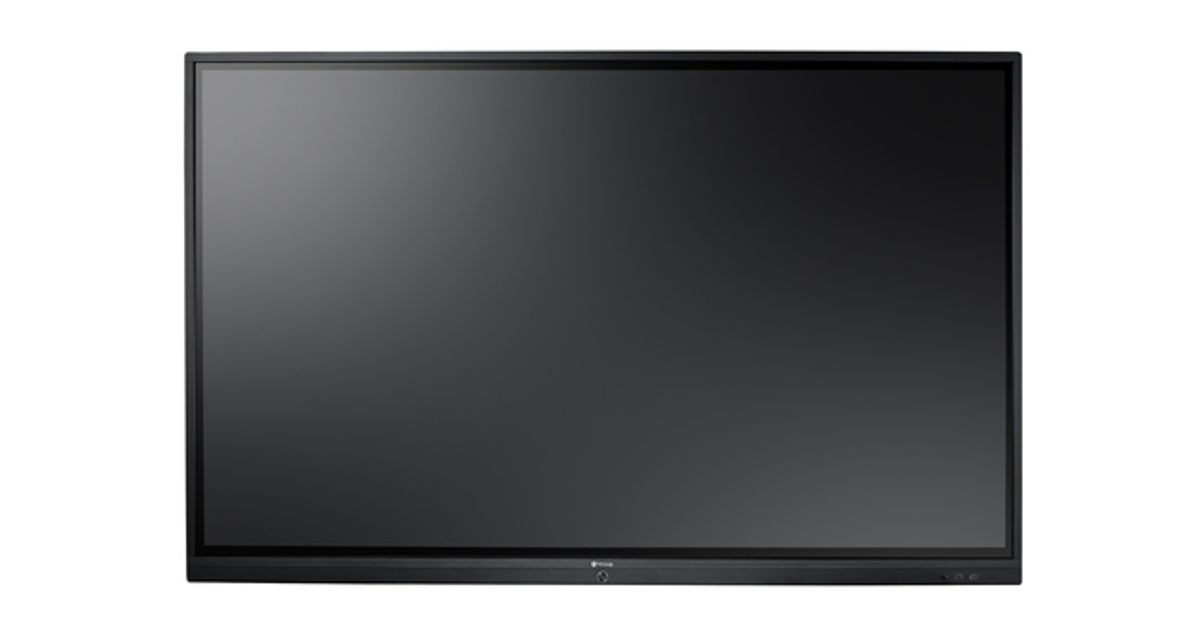
For illustrative purpose only
AG Neovo IFP-7502 189.2 cm (74.5") 3840 x 2160 pixels Multi-touch Black
AG Neovo IFP-7502, 189.2 cm (74.5"), 350 cd/m², 4K Ultra HD, LED, 3840 x 2160 pixels, IPS
Read more...
Read more...
Product Information
| Information | |
|---|---|
| Manufacturer | AG Neovo |
| Product code | 576110309 |
| EAN | 04710739595987 |
| Manufacturer part number | IF720011G0000 |
| Category | Touchscreen monitors |
| Display | |
|---|---|
| Display diagonal | 189.2 cm (74.5") |
| Display brightness | 350 cd/m² |
| HD type | 4K Ultra HD |
| Display technology | LED |
| Display resolution | 3840 x 2160 pixels |
| Panel type | IPS |
| Response time | 5 ms |
| Contrast ratio (typical) | 1100:1 |
| Pixel pitch | 0.43 x 0.43 mm |
| Viewing angle, horizontal | 178° |
| Viewing angle, vertical | 178° |
| Digital horizontal frequency | 30 - 80 kHz |
| Digital vertical frequency | 50 - 76 Hz |
| Display number of colours | 1.073 billion colours |
| Touch technology | Multi-touch |
| Design | |
|---|---|
| Product colour | Black |
| Performance | |
|---|---|
| Touchscreen technology | Infrared |
| OmniTapps Multitouch compatibility | N |
| Camera | |
|---|---|
| Built-in camera | N |
| Audio | |
|---|---|
| Built-in microphone | N |
| Built-in speaker(s) | Y |
| Number of speakers | 2 |
| Multimedia | |
|---|---|
| RMS rated power | 32 W |
| Software | |
|---|---|
| Operating system installed | Android |
| Other features | |
|---|---|
| Operating system version | 8.0 |
| USB 2.0 ports quantity | 3 |
| Internal memory | 3000 MB |
| Ports & interfaces | |
|---|---|
| USB 3.2 Gen 1 (3.1 Gen 1) Type-A ports quantity | 3 |
| HDMI | Y |
| HDMI ports quantity | 4 |
| HDMI version | 2.0 |
| VGA (D-Sub) ports quantity | 1 |
| Audio input | 3.5mm |
| Audio output | 3.5mm, S/PDIF |
| RS-232 ports | 1 |
| Ethernet LAN (RJ-45) ports | 1 |
| Features | |
|---|---|
| Built-in processor | Y |
| Wall mountable | Y |
| Panel mounting interface | 800 x 400 mm |
| VESA mounting | Y |
| Power supply type | AC |
| Processor | |
|---|---|
| Processor architecture | ARM Cortex-A73 + ARM Cortex-A53 |
| Power | |
|---|---|
| Power consumption (typical) | 165 W |
| Power consumption (off) | 0.5 W |
| AC input voltage | 100 - 240 V |
| AC input frequency | 50/60 Hz |
| Operational conditions | |
|---|---|
| Operating temperature (T-T) | 0 - 40 °C |
| Storage temperature (T-T) | -20 - 60 °C |
| Operating relative humidity (H-H) | 10 - 90% |
| Storage relative humidity (H-H) | 10 - 90% |
| Weight & dimensions | |
|---|---|
| Width (without stand) | 171 cm |
| Depth (without stand) | 8.6 cm |
| Height (without stand) | 102 cm |
| Weight (without stand) | 50.6 kg |
| Package weight | 72.9 kg |
| Packaging data | |
|---|---|
| Package width | 1860 mm |
| Package depth | 280 mm |
| Package height | 1140 mm |
Product Description
Interactive Flat Panel Displays Simplify Your Meeting Room
Built on the Android OS platform; Meetboard interactive flat panel display is designed to get meetings and presentations going right away, without the need for projectors, whiteboards, PCs or installing additional software. Eliminate cable clutter and enjoy a clean and organized meeting room thanks to wireless mirroring options. Present, brainstorm and take notes without cables in between or markers that are running out of ink.
The New Generation of Meetings
AG Neovo’s IFP-Series, Meetboard, is the all-around interactive flat panel display that stream- lines the meetings process. Since meetings can’t wait for slow loading screens, Meetboard interactive flat panel display’s on-board whiteboard app and launcher allows participants to directly access materials and get the meeting going without delay. Meeting materials and presentations are bright and crisp on the 4K display, ensuring that content is clear and compelling. And files and notes relevant to the meeting can be shared with ease, through QR code, email, or cloud drive.
Loaded with Built-in Interactive Apps
Draw and brainstorm with the Meetboard app, make a compelling presentation with WPS Office, or wirelessly share content from your PC, Mac or mobile device with ScreenShare Pro. Meetboard interactive flat panel display comes with all the apps needed for collaborating and sharing ideas out of the box.
Meetboard App
User-friendly interactive whiteboard software designed for interactive meetings and group discussions.
Connecting People and Devices Has Never Been Easier
Collaborating on projects requires not only the input of your team, but also their devices and content. That is why Meetboard interactive flat panel display supports 802.11ac Wi-Fi and Bluetooth, for fast and seamless connections among the keyboards, webcams, and all the devices your team needs to get their ideas across. ScreenShare Pro app makes those connections extremely usable, by enabling collaboration through device mirroring and remote control from individual devices, no matter what operating systems your team members use: Windows, macOS, Android, or iOS.
Made for Hands-On Collaboration
Engaging with ideas over an electronic display can often present hurdles to participation. Meetboard lowers those hurdles with multi-touch and natural writing capabilities. Multiple participants, using their fingers or included styluses, can simultaneously draw and annotate on the 20-point touch-enabled display, making mind-mapping and brainstorming as intuitive as using a whiteboard.
Another common obstacle is not having the right driver for your content, an obstacle Meetboard does away with. Its Plug-and-Play Windows support allows Windows users to activate applications like PowerPoint and OneNote directly on the display—all without additional drivers.
Assistive Menu Lets Your Team Focus on What Matters
Meetings shouldn’t stop for technical issues. Enter Meetboard’s dedicated assistive menu, which works on any input source and Android apps, giving participants the power to access certain functions and shortcuts, like adjusting audio/brightness, capturing screenshots, toggling between tasks, and taking down notes.
Built on the Android OS platform; Meetboard interactive flat panel display is designed to get meetings and presentations going right away, without the need for projectors, whiteboards, PCs or installing additional software. Eliminate cable clutter and enjoy a clean and organized meeting room thanks to wireless mirroring options. Present, brainstorm and take notes without cables in between or markers that are running out of ink.
The New Generation of Meetings
AG Neovo’s IFP-Series, Meetboard, is the all-around interactive flat panel display that stream- lines the meetings process. Since meetings can’t wait for slow loading screens, Meetboard interactive flat panel display’s on-board whiteboard app and launcher allows participants to directly access materials and get the meeting going without delay. Meeting materials and presentations are bright and crisp on the 4K display, ensuring that content is clear and compelling. And files and notes relevant to the meeting can be shared with ease, through QR code, email, or cloud drive.
Loaded with Built-in Interactive Apps
Draw and brainstorm with the Meetboard app, make a compelling presentation with WPS Office, or wirelessly share content from your PC, Mac or mobile device with ScreenShare Pro. Meetboard interactive flat panel display comes with all the apps needed for collaborating and sharing ideas out of the box.
Meetboard App
User-friendly interactive whiteboard software designed for interactive meetings and group discussions.
Connecting People and Devices Has Never Been Easier
Collaborating on projects requires not only the input of your team, but also their devices and content. That is why Meetboard interactive flat panel display supports 802.11ac Wi-Fi and Bluetooth, for fast and seamless connections among the keyboards, webcams, and all the devices your team needs to get their ideas across. ScreenShare Pro app makes those connections extremely usable, by enabling collaboration through device mirroring and remote control from individual devices, no matter what operating systems your team members use: Windows, macOS, Android, or iOS.
Made for Hands-On Collaboration
Engaging with ideas over an electronic display can often present hurdles to participation. Meetboard lowers those hurdles with multi-touch and natural writing capabilities. Multiple participants, using their fingers or included styluses, can simultaneously draw and annotate on the 20-point touch-enabled display, making mind-mapping and brainstorming as intuitive as using a whiteboard.
Another common obstacle is not having the right driver for your content, an obstacle Meetboard does away with. Its Plug-and-Play Windows support allows Windows users to activate applications like PowerPoint and OneNote directly on the display—all without additional drivers.
Assistive Menu Lets Your Team Focus on What Matters
Meetings shouldn’t stop for technical issues. Enter Meetboard’s dedicated assistive menu, which works on any input source and Android apps, giving participants the power to access certain functions and shortcuts, like adjusting audio/brightness, capturing screenshots, toggling between tasks, and taking down notes.