Toote tegelik värvus võib erineda piltidel kujutatavast ning pildid on
illustratiivsed.
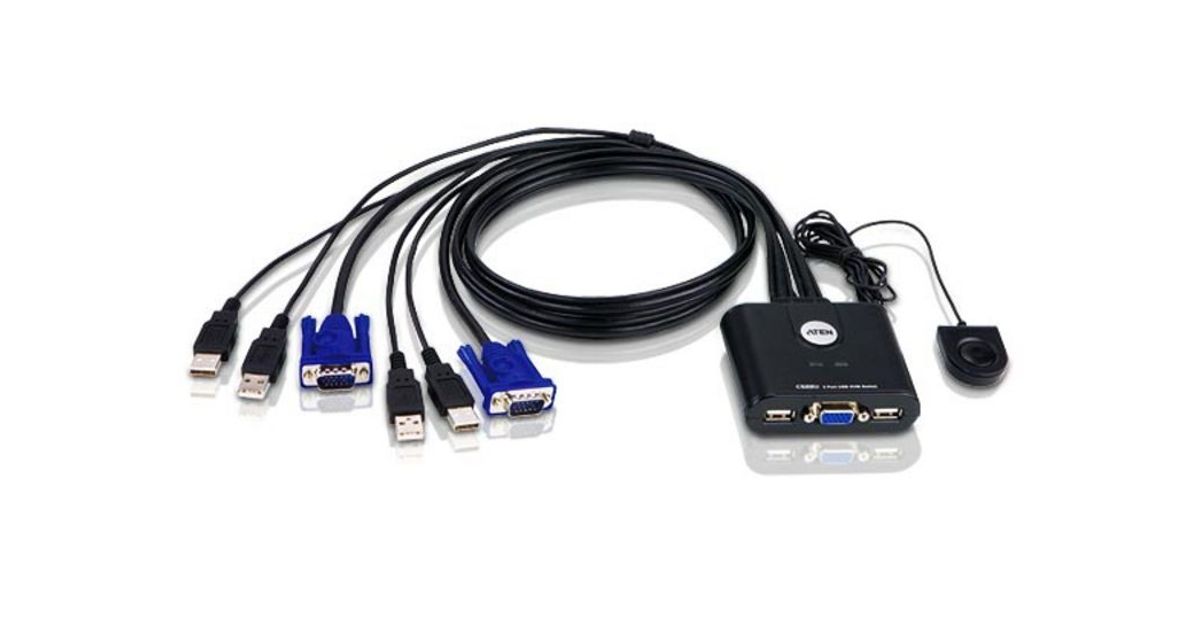
Aten 2-Port USB VGA KVM Switch
Aten 2-Port USB VGA KVM Switch, 2048 x 1536 pixels, QXGA, 0.14 W, Black
Read more...
Read more...
Product Information
| Information | |
|---|---|
| Manufacturer | ATEN |
| Product code | 14376632 |
| EAN | 05055309628733 |
| Manufacturer part number | NUATNKV2PCS22UA |
| Category | VM switches and accessories |
| Ports & interfaces | |
|---|---|
| Number of computers controlled | 2 |
| Keyboard port type | USB |
| Mouse port type | USB |
| Video port type | VGA |
| Console ports | USB A,VGA (D-Sub) |
| VGA (D-Sub) ports quantity | 2 |
| USB 2.0 Type-A hub ports quantity | 2 |
| Keyboard | |
|---|---|
| USB hub | Y |
| Features | |
|---|---|
| USB connector type | USB Type-A |
| Display | |
|---|---|
| HD type | QXGA |
| Graphics | |
|---|---|
| Maximum resolution | 2048 x 1536 pixels |
| Performance | |
|---|---|
| DDC2B support | Y |
| Design | |
|---|---|
| Rack mounting | N |
| Product colour | Black |
| Housing material | Plastic |
| LED indicators | Y |
| Built-in display | N |
| Power | |
|---|---|
| Power source | DC |
| DC input voltage | 5 V |
| Power consumption (typical) | 0.14 W |
| Operational conditions | |
|---|---|
| Operating temperature (T-T) | 0 - 50 °C |
| Storage temperature (T-T) | -20 - 60 °C |
| Operating relative humidity (H-H) | 0 - 80% |
| Storage relative humidity (H-H) | 0 - 80% |
| Weight & dimensions | |
|---|---|
| Width | 82.4 mm |
| Depth | 70.1 mm |
| Height | 24.6 mm |
| Weight | 302 g |
| Package weight | 400 g |
| Packaging data | |
|---|---|
| Package width | 55 mm |
| Package depth | 155 mm |
| Package height | 223 mm |
| Quick installation guide | Y |
| Logistics data | |
|---|---|
| Master (outer) case net weight | 6.04 kg |
| Master (outer) case width | 32.8 cm |
| Master (outer) case length | 38.9 cm |
| Master (outer) case height | 33 cm |
| Master (outer) case gross weight | 8.48 kg |
| Products per master (outer) case | 20 pc(s) |
Product Description
The CS22U is a 2-port USB Cable KVM Switch that provides a simple and quick method of selecting computers- a built-in remote port selector. This allows the CS22U unit to be hidden from sight, while the remote port selector can be placed conveniently on the desktop.
1x CS22U 2-Port USB Cable KVM Switch with Remote Port Selector
1x User Instructions
1x CS22U 2-Port USB Cable KVM Switch with Remote Port Selector
1x User Instructions