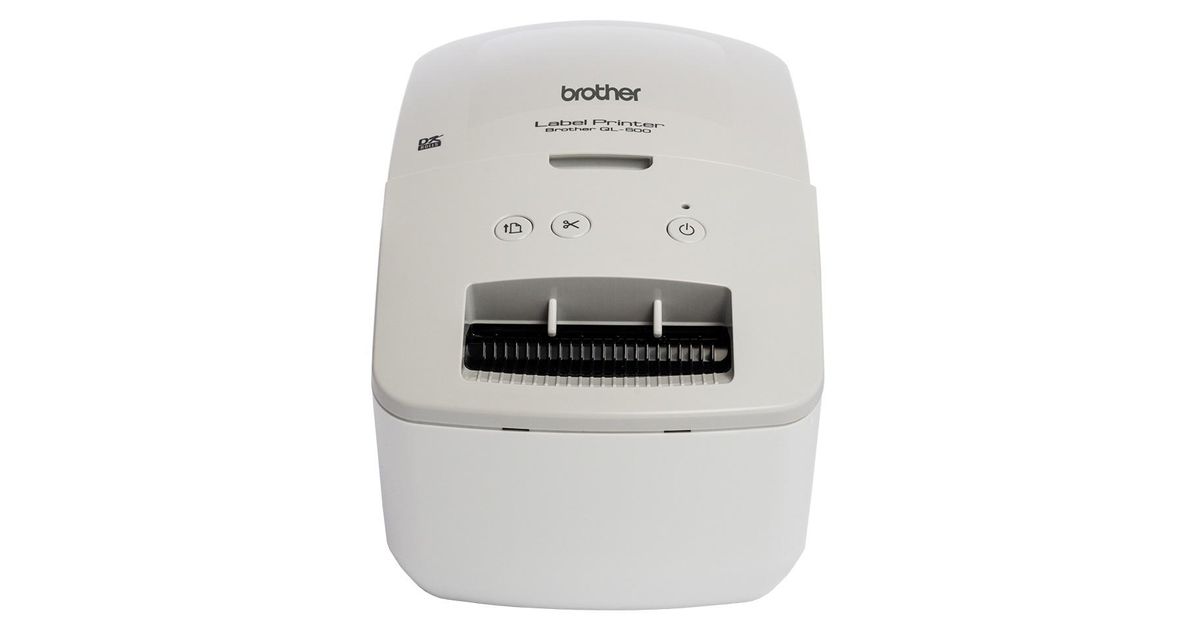
Toote tegelik värvus võib erineda piltidel kujutatavast ning pildid on
illustratiivsed.
Brother QL-600G label printer Direct thermal Colour 300 x 600 DPI Wired & Wireless DK
Brother QL-600G, DK, Direct thermal, 300 x 600 DPI, 44 mm/sec, Wired & Wireless, Grey, White
Read more...
Read more...
Product Information
| Information | |
|---|---|
| Manufacturer | Brother |
| Product code | 07182886 |
| EAN | 04977766798457 |
| Manufacturer part number | QL-600G |
| Category | Label printers and accessories |
| Features | |
|---|---|
| Print technology | Direct thermal |
| Colour | Y |
| Print speed | 44 mm/sec |
| Printing colours | Black |
| Printing | |
|---|---|
| Maximum resolution | 300 x 600 DPI |
| Maximum printing width | 100 cm |
| Maximum print height | 5.9 cm |
| Minimum print length | 100 cm |
| Vertical printing | Y |
| Text alignment | Center, Justify, Left, Right |
| Text style | Horizontal lines |
| Paper handling | |
|---|---|
| Maximum label width | 6.2 cm |
| Maximum label length | 3 m |
| Keyboard | |
|---|---|
| Connectivity technology | Wired & Wireless |
| Network | |
|---|---|
| Ethernet LAN | N |
| Wi-Fi | N |
| Bluetooth | N |
| Ports & interfaces | |
|---|---|
| USB port | Y |
| Other features | |
|---|---|
| USB 2.0 ports quantity | 1 |
| Display | N |
| Performance | |
|---|---|
| Tape type | DK |
| Design | |
|---|---|
| Product colour | Grey, White |
| Software | |
|---|---|
| Windows operating systems supported | Y |
| Mac operating systems supported | Y |
| Weight & dimensions | |
|---|---|
| Width | 128 mm |
| Depth | 221 mm |
| Height | 153 mm |
| Weight | 1.12 kg |
| Logistics data | |
|---|---|
| Warranty period | 3 year(s) |
Product Description
Address, signage and general label printing for your home or office
The Brother QL-600G is a compact label printer that once connected to your computer lets you design and print labels on demand, quickly and efficiently.
Choose the label size you need
Every QL-600G label printer comes with a 62mm width continuous length label roll in the box. Brother's unique continuous roll technology allows you to print any sized label you need from one roll. From address labels, storage boxes and indoor signage, you can complete all your labelling requirements without the need for multiple rolls.
Free label editing software for Windows PC’s and Mac
Brother's easy to use, free editing software, P-touch Editor, gives users the opportunity to fully customise their labels. Available on both Windows and MAC, you can import existing graphic files, use the enhanced symbols or clip-art files included to create logos or custom art.
Design your perfect label
From a simple address label containing just text, you can then add images (such as a company logo), barcodes and frames. Use the fonts installed on your computer to create the exact label required.
Many different label sizes to choose from
As well as a range of continuous length rolls that can be cut to your exact size requirement, there are also many popular sized die-cut labels available. These pre-sized labels have rounded corners and are quick and easy to peel, ideal for when a larger number of labels need to be printed and applied.
Change label rolls quickly and easily
Unlike some other label printers on the market, all Brother DK label rolls are supplied on a label spindle. All you have to do is drop-in your roll, feed it into the printer then close the top cover. It takes just seconds and ensures the labels are installed correctly, every time.
The Brother QL-600G is a compact label printer that once connected to your computer lets you design and print labels on demand, quickly and efficiently.
Choose the label size you need
Every QL-600G label printer comes with a 62mm width continuous length label roll in the box. Brother's unique continuous roll technology allows you to print any sized label you need from one roll. From address labels, storage boxes and indoor signage, you can complete all your labelling requirements without the need for multiple rolls.
Free label editing software for Windows PC’s and Mac
Brother's easy to use, free editing software, P-touch Editor, gives users the opportunity to fully customise their labels. Available on both Windows and MAC, you can import existing graphic files, use the enhanced symbols or clip-art files included to create logos or custom art.
Design your perfect label
From a simple address label containing just text, you can then add images (such as a company logo), barcodes and frames. Use the fonts installed on your computer to create the exact label required.
Many different label sizes to choose from
As well as a range of continuous length rolls that can be cut to your exact size requirement, there are also many popular sized die-cut labels available. These pre-sized labels have rounded corners and are quick and easy to peel, ideal for when a larger number of labels need to be printed and applied.
Change label rolls quickly and easily
Unlike some other label printers on the market, all Brother DK label rolls are supplied on a label spindle. All you have to do is drop-in your roll, feed it into the printer then close the top cover. It takes just seconds and ensures the labels are installed correctly, every time.