Toote tegelik värvus võib erineda piltidel kujutatavast ning pildid on
illustratiivsed.
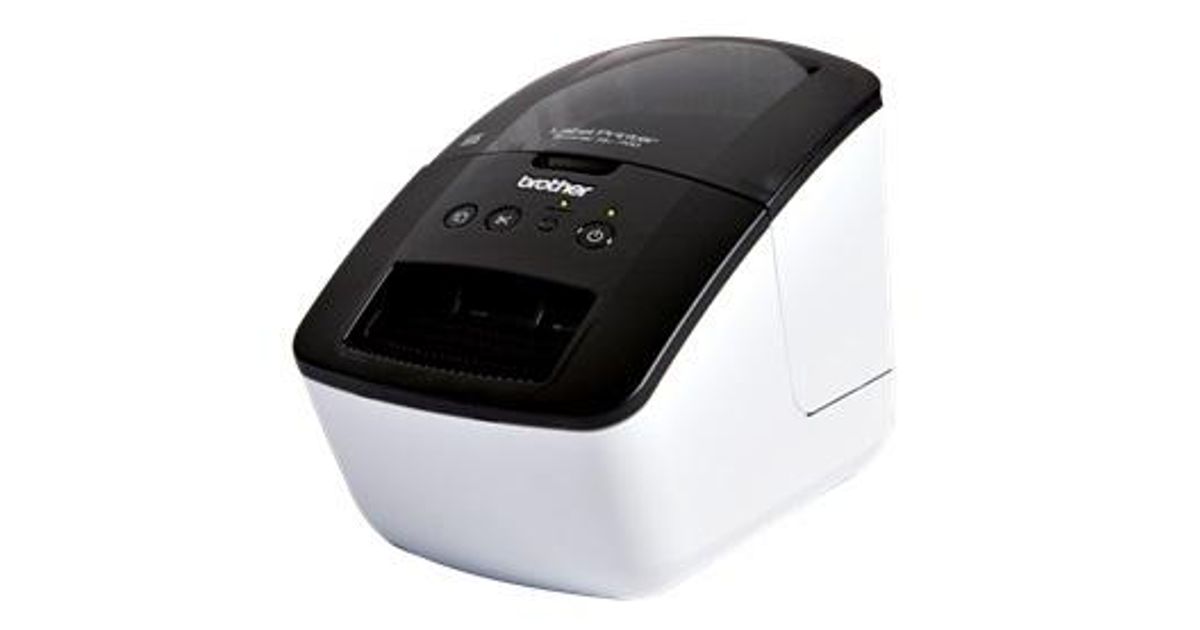
Brother QL-700 label printer Direct thermal 300 x 300 DPI DK
Brother QL-700, DK, Direct thermal, 300 x 300 DPI, 150 mm/sec, Black, White
Read more...
Read more...
Product Information
| Information | |
|---|---|
| Manufacturer | Brother |
| Product code | 221484708 |
| EAN | 04977766707237 |
| Manufacturer part number | QL700YJ1 |
| Category | Label printers and accessories |
| Features | |
|---|---|
| Print technology | Direct thermal |
| Print speed | 150 mm/sec |
| Printing | |
|---|---|
| Maximum resolution | 300 x 300 DPI |
| Maximum print height | 5.9 cm |
| Vertical printing | Y |
| Paper handling | |
|---|---|
| Maximum label width | 6.2 cm |
| Maximum label length | 1 m |
| Network | |
|---|---|
| Ethernet LAN | N |
| Wi-Fi | N |
| Network ready | N |
| Ports & interfaces | |
|---|---|
| PC connected | Y |
| Performance | |
|---|---|
| Built-in barcodes | CODABAR (NW-7),EAN128,EAN13,EAN8,Interleaved 2/5,PDF417,POSTNET,UPC-A,UPC-E |
| Tape type | DK |
| Tape cutting | Automatic |
| Design | |
|---|---|
| Product colour | Black, White |
| Software | |
|---|---|
| Mac compatibility | Y |
| Weight & dimensions | |
|---|---|
| Width | 128 mm |
| Depth | 221 mm |
| Height | 153 mm |
| Weight | 1.1 kg |
| Package weight | 2.100 g |
| Packaging data | |
|---|---|
| Quantity per pack | 1 pc(s) |
| Other features | |
|---|---|
| Package dimensions (WxDxH) | 182 x 262 x 233 mm |
| Dimensions (WxDxH) | 128 x 221 x 153 mm |
| Number of label formats | 22 |
| Quantity outer carton | 3 pc(s) |
| Logistics data | |
|---|---|
| Master (outer) case width | 27.4 cm |
| Master (outer) case length | 55.5 cm |
Product Description
Professional, high-speed label printer helps you quickly tackle labeling tasks in your busy office.
Create cost-effective paper labels for file folders, envelopes, packages, and DVDs –even create banners and signs up to 3-ft long. The ultra-fast print speeds of up to 93 labels per minute‡ help save time on big projects. Whether you print 1 label or multiple labels at a time, the convenient, automatic cutter speeds your job along.
Use one of the two easy ways to create labels…Press the Editor Lite button to launch the intuitive, built-in Plug and Label software to quickly type and print labels without installing software‡. Or install the included P-touch® Editor label design software to create more elaborate labels.
Plus, print postage and save trips to the Post Office. Print the exact postage you need, when you need it right from your desktop‡.
Create cost-effective paper labels for file folders, envelopes, packages, and DVDs –even create banners and signs up to 3-ft long. The ultra-fast print speeds of up to 93 labels per minute‡ help save time on big projects. Whether you print 1 label or multiple labels at a time, the convenient, automatic cutter speeds your job along.
Use one of the two easy ways to create labels…Press the Editor Lite button to launch the intuitive, built-in Plug and Label software to quickly type and print labels without installing software‡. Or install the included P-touch® Editor label design software to create more elaborate labels.
Plus, print postage and save trips to the Post Office. Print the exact postage you need, when you need it right from your desktop‡.