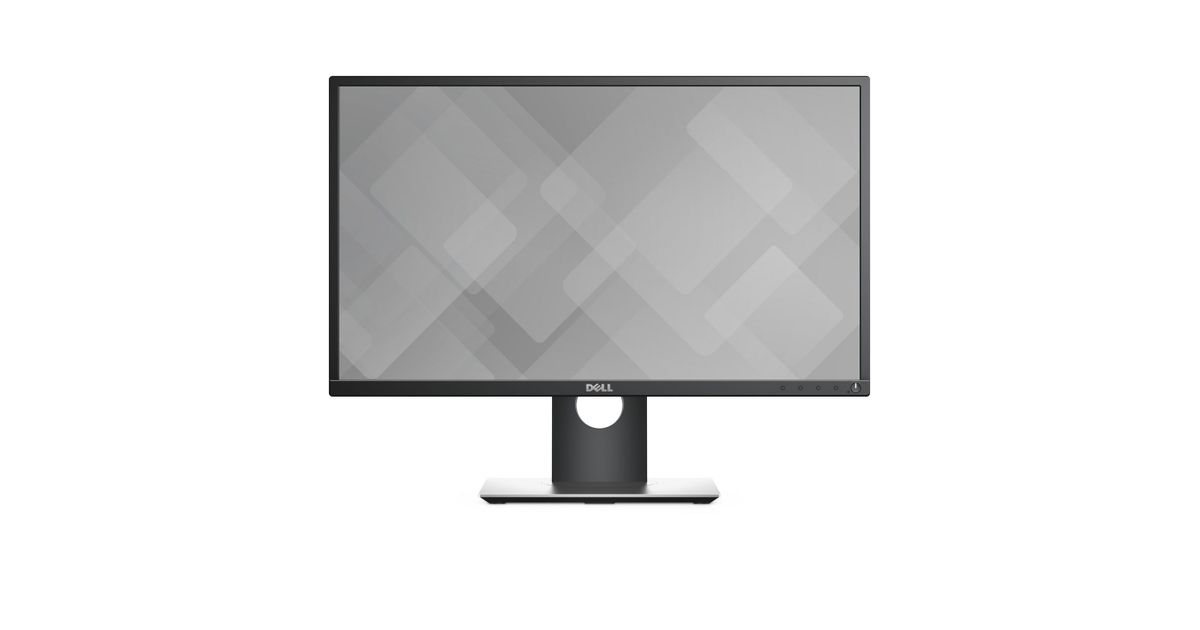
For illustrative purpose only
DELL P2417H 60.5 cm (23.8") 1920 x 1080 pixels Full HD LCD Black
DELL P2417H, 60.5 cm (23.8"), 1920 x 1080 pixels, Full HD, LED, 6 ms, Black
Read more...
Read more...
Product Information
| Information | |
|---|---|
| Manufacturer | DELL |
| Product code | 228653769 |
| EAN | 05704174169192 |
| Manufacturer part number | CW6Y7 |
| Category | Monitors |
| Display | |
|---|---|
| Display diagonal | 60.5 cm (23.8") |
| Display resolution | 1920 x 1080 pixels |
| Native aspect ratio | 16:9 |
| Display technology | LCD |
| Touchscreen | N |
| HD type | Full HD |
| Panel type | IPS |
| Screen shape | Flat |
| Contrast ratio (typical) | 1000:1 |
| Maximum refresh rate | 60 Hz |
| Display number of colours | 16.78 million colours |
| Display brightness (typical) | 250 cd/m² |
| Response time | 6 ms |
| Aspect ratio | 16:9 |
| Contrast ratio (dynamic) | 4000000:1 |
| Viewing angle, horizontal | 178° |
| Viewing angle, vertical | 178° |
| Pixel pitch | 0.275 x 0.275 mm |
| Pixel density | 93 ppi |
| Horizontal scan range | 30 - 83 kHz |
| Vertical scan range | 56 - 76 Hz |
| Viewable size, horizontal | 52.7 cm |
| Viewable size, vertical | 29.6 cm |
| Viewable size diagonal | 60.5 cm |
| Colour gamut | 82% |
| On Screen Display (OSD) | Y |
| Design | |
|---|---|
| Backlight type | W-LED |
| Market positioning | Business |
| Product colour | Black |
| Feet colour | Black/Silver |
| LED indicators | Y |
| Tilt adjustment | Y |
| On/off switch | Y |
| Features | |
|---|---|
| Supported graphics resolutions | 1920 x 1080 (HD 1080) |
| Certification | TCO, RoHS |
| USB version | 2.0/3.2 Gen 1 (3.1 Gen 1) |
| VESA mounting | Y |
| Panel mounting interface | 100 x 100 mm |
| Height adjustment | 13 cm |
| Other features | |
|---|---|
| 3D | N |
| Quick start guide | Y |
| Display | LED |
| Dell E-Value Code | P2417H |
| Energy efficiency class (old) | A+ |
| Performance | |
|---|---|
| NVIDIA G-SYNC | N |
| AMD FreeSync | N |
| Cable lock slot | Y |
| Swivel angle range | -45 - 45° |
| TV tuner integrated | N |
| Audio | |
|---|---|
| Built-in speaker(s) | N |
| Camera | |
|---|---|
| Built-in camera | N |
| Ports & interfaces | |
|---|---|
| Built-in USB hub | Y |
| Headphone out | N |
| USB hub version | 3.2 Gen 1 (3.1 Gen 1) |
| USB upstream port type | USB Type-B |
| Number of upstream ports | 1 |
| USB Type-A downstream ports quantity | 4 |
| VGA (D-Sub) ports quantity | 1 |
| DVI port | N |
| HDMI ports quantity | 1 |
| DisplayPorts quantity | 1 |
| Audio input | N |
| AC (power) in | Y |
| Ergonomics | |
|---|---|
| Height adjustment | Y |
| Pivot | Y |
| Pivot angle | 0 - 90° |
| Swivelling | Y |
| Tilt angle range | -5 - 21° |
| Power | |
|---|---|
| Power consumption (typical) | 19 W |
| Power consumption (standby) | 0.3 W |
| Power consumption (max) | 39 W |
| Power consumption (off) | 0.3 W |
| Power consumption (PowerSave) | 18.5 W |
| AC input voltage | 100 - 240 V |
| AC input frequency | 50 - 60 Hz |
| Input current | 1.5 A |
| Annual energy consumption | 25 kWh |
| Operational conditions | |
|---|---|
| Operating temperature (T-T) | 0 - 40 °C |
| Storage temperature (T-T) | -20 - 60 °C |
| Operating relative humidity (H-H) | 10 - 80% |
| Storage relative humidity (H-H) | 5 - 90% |
| Operating altitude | 0 - 5000 m |
| Non-operating altitude | 0 - 12191 m |
| Packaging content | |
|---|---|
| Stand included | Y |
| Cables included | AC, DisplayPort, USB, VGA |
| Weight & dimensions | |
|---|---|
| Width (with stand) | 549.8 mm |
| Depth (with stand) | 180 mm |
| Height (with stand) | 492.1 mm |
| Width (without stand) | 55 cm |
| Depth (without stand) | 5.03 cm |
| Height (without stand) | 32.6 cm |
| Weight (without stand) | 3.33 kg |
| Package weight | 7.63 kg |
| Sustainability | |
|---|---|
| Sustainability certificates | EPEAT Gold, ENERGY STAR |
| Thin Client | |
|---|---|
| Thin client installed | N |
Product Description
Purposefully designed for comfort and convenience.
Easily adjust your monitor to your desired angle, height, and position so you can enjoy great visuals across multiple monitors with no hassle.
- A more seamless workflow: Slim borders create a smoother and less obstructed visual experience when working across multiple monitors.
- Versatility you can count on: Enjoy full adjustability to pivot, tilt, adjust the height, and swivel your monitor to your exact preference.
- More ways to stay connected: Multiple connectivity ports on the bottom and side of the monitor allow you to easily connect to various devices.
Enhanced viewing experience
The Dell 24 Monitor | P2417H is perfect for professionals who work long hours and depend on a monitor that will display stunning visuals without inducing eye fatigue.
- Complete clarity: Get excellent picture quality with consistent color representation across an ultrawide viewing angle and a high 4million: 1 dynamic contrast ratio.
- Work comfortably with less stress: Dell's ComfortView feature helps to reduce harmful blue light emission onscreen and with direct current, a flicker-free viewing experience is enabled.
- A more fluid workspace: With Dell Easy Arrange, you can easily tile and view your software applications side by side.
Easily adjust your monitor to your desired angle, height, and position so you can enjoy great visuals across multiple monitors with no hassle.
- A more seamless workflow: Slim borders create a smoother and less obstructed visual experience when working across multiple monitors.
- Versatility you can count on: Enjoy full adjustability to pivot, tilt, adjust the height, and swivel your monitor to your exact preference.
- More ways to stay connected: Multiple connectivity ports on the bottom and side of the monitor allow you to easily connect to various devices.
Enhanced viewing experience
The Dell 24 Monitor | P2417H is perfect for professionals who work long hours and depend on a monitor that will display stunning visuals without inducing eye fatigue.
- Complete clarity: Get excellent picture quality with consistent color representation across an ultrawide viewing angle and a high 4million: 1 dynamic contrast ratio.
- Work comfortably with less stress: Dell's ComfortView feature helps to reduce harmful blue light emission onscreen and with direct current, a flicker-free viewing experience is enabled.
- A more fluid workspace: With Dell Easy Arrange, you can easily tile and view your software applications side by side.