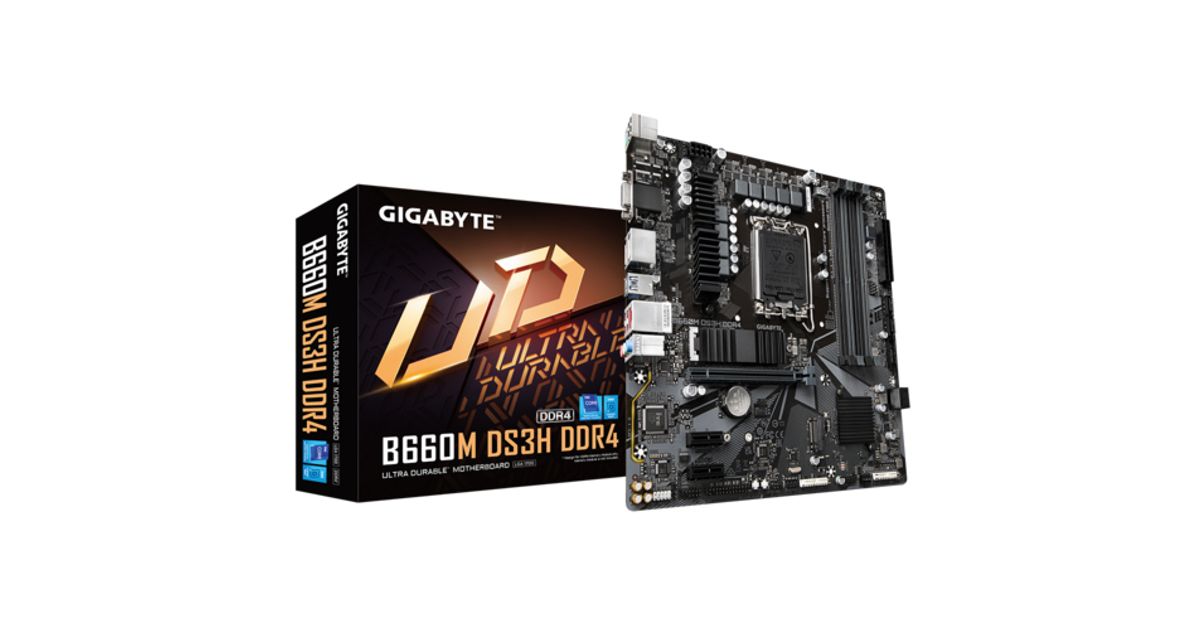
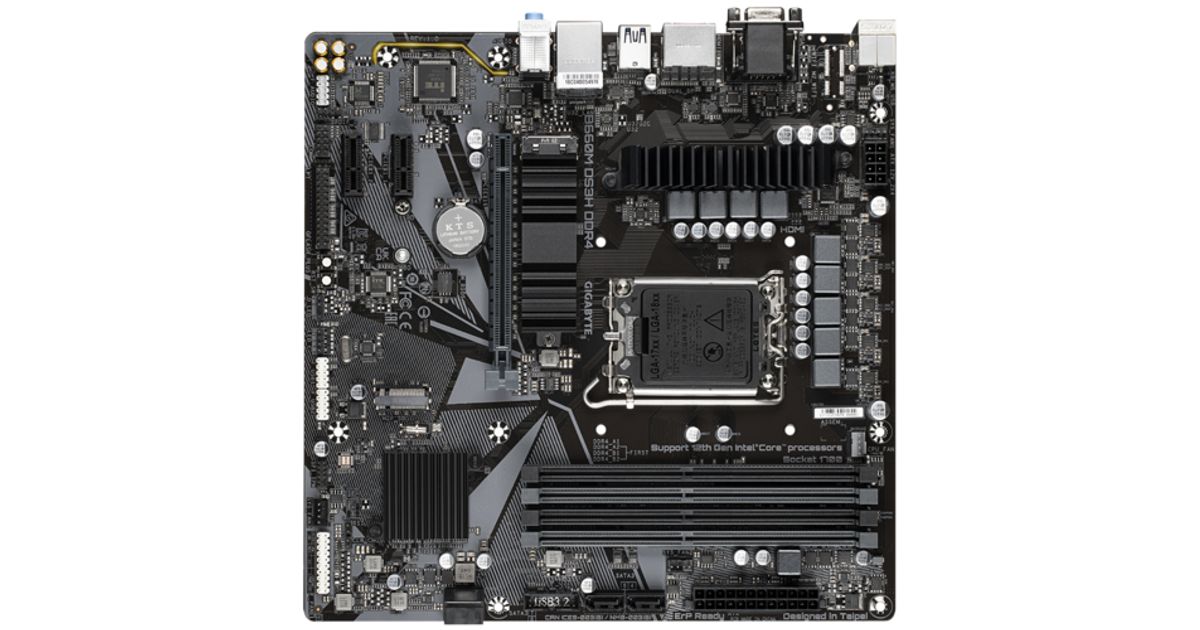
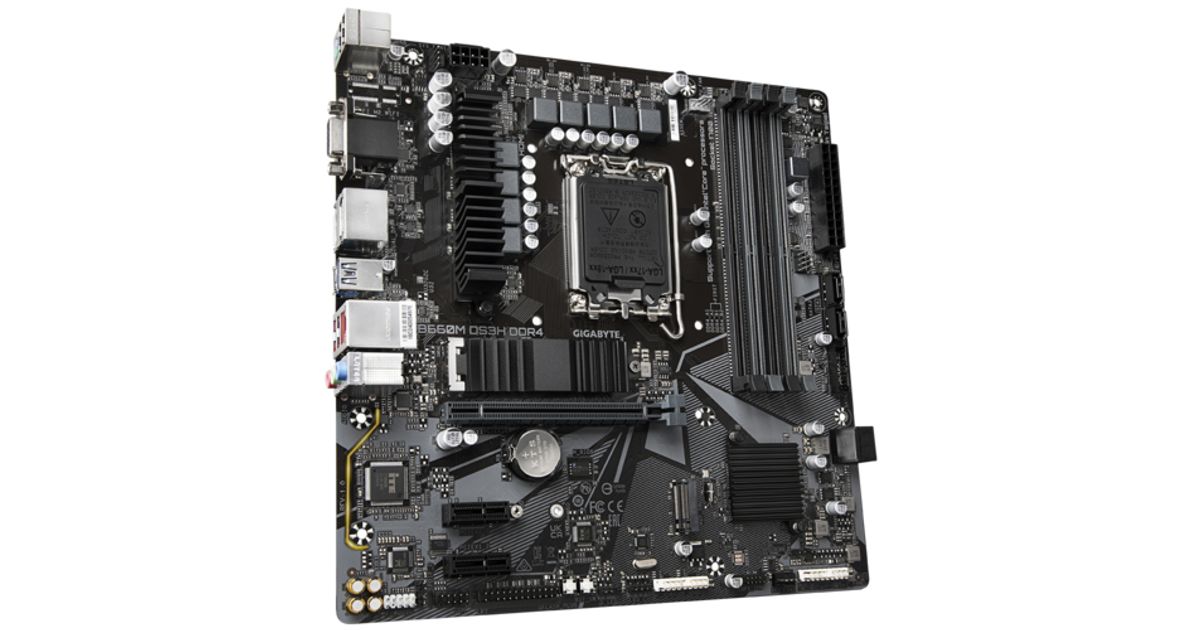
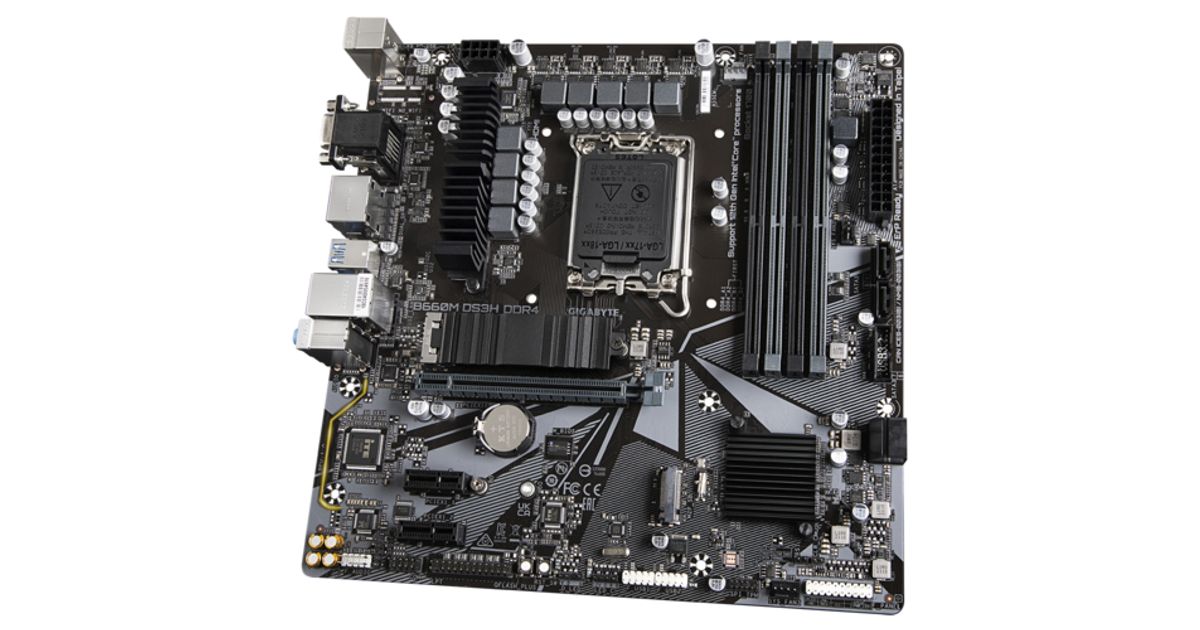
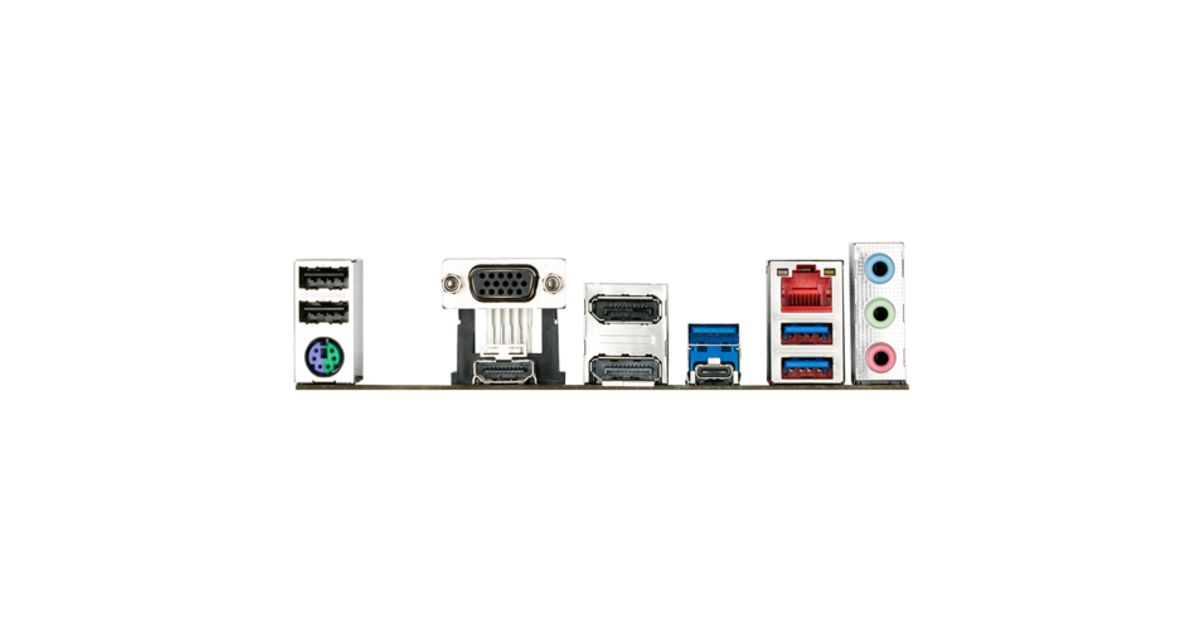
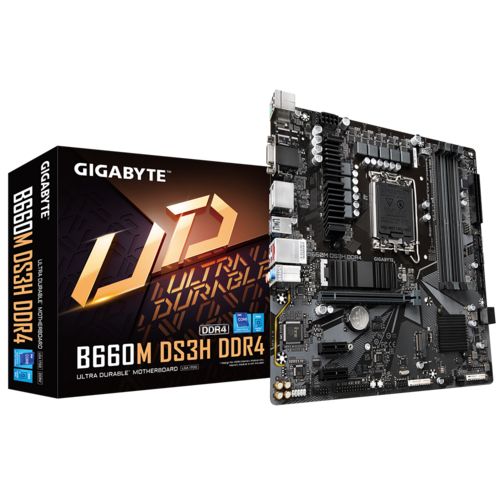


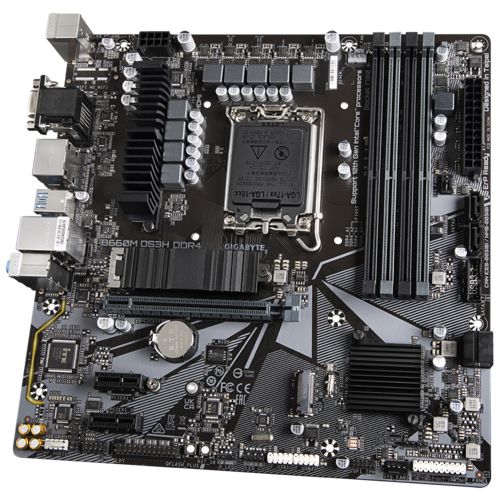
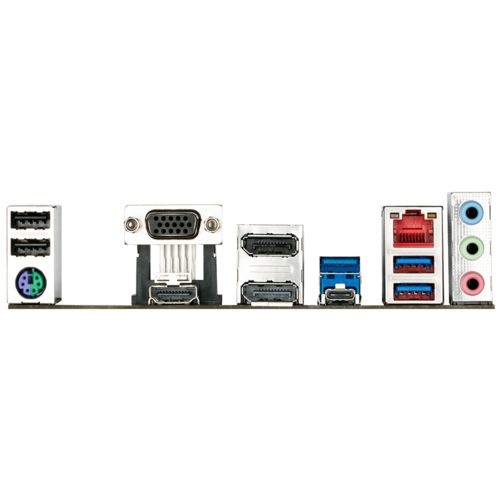
For illustrative purpose only
Gigabyte B660M DS3H DDR4 motherboard Intel B660 LGA 1700 micro ATX
Gigabyte B660M DS3H DDR4, Intel, LGA 1700, Intel® Celeron®, Intel® Core™ i3, Intel® Core™ i5, Intel® Core™ i7, Intel® Core™ i9,..., LGA 1700, DDR4-SDRAM, 128 GB
Read more...
Read more...
Product Information
| Information | |
|---|---|
| Manufacturer | Gigabyte |
| Product code | 126312671 |
| EAN | 04719331830328 |
| Manufacturer part number | KBGBAIIEB660U01 |
| Category | Motherboards |
| Processor | |
|---|---|
| Processor manufacturer | Intel |
| Processor socket | LGA 1700 |
| Performance | |
|---|---|
| Compatible processor series | Intel® Celeron®, Intel® Core™ i3, Intel® Core™ i5, Intel® Core™ i7, Intel® Core™ i9, Intel® Pentium® Gold |
| Supported processor sockets | LGA 1700 |
| Power source type | ATX |
| Memory | |
|---|---|
| Supported memory types | DDR4-SDRAM |
| Number of memory slots | 4 |
| Maximum internal memory | 128 GB |
| Memory slots type | DIMM |
| Memory channels | Dual-channel |
| Non-ECC | Y |
| Supported memory clock speeds | 2133,2400,2666,2933,3000,3200,3300,3333,3400,3466,3600,3666,3733,3800,3866,4000,4133,4266,4300,4400,4500,4600,4700,4800,4933,5000,5133,5333 MHz |
| Storage controllers | |
|---|---|
| Supported storage drive interfaces | M.2, PCI Express 4.0, SATA III |
| Supported storage drive types | HDD & SSD |
| RAID support | Y |
| RAID levels | 0, 1, 5, 10 |
| Internal I/O | |
|---|---|
| USB 2.0 connectors | 2 |
| USB 3.2 Gen 1 (3.1 Gen 1) connectors | 1 |
| Number of SATA III connectors | 4 |
| Front panel audio connector | Y |
| Front panel connector | Y |
| ATX Power connector (24-pin) | Y |
| CPU fan connector | Y |
| Number of chassis fan connectors | 3 |
| EPS power connector (8-pin) | Y |
| Parallel connector | Y |
| Serial port headers | 1 |
| RGB LED pin header | Y |
| Ports & interfaces | |
|---|---|
| USB 3.2 Gen 1 (3.1 Gen 1) Type-A ports quantity | 3 |
| USB 3.2 Gen 2 (3.1 Gen 2) Type-C ports quantity | 1 |
| Ethernet LAN (RJ-45) ports | 1 |
| VGA (D-Sub) ports quantity | 1 |
| HDMI ports quantity | 1 |
| DisplayPorts quantity | 1 |
| Headphone outputs | 2 |
| Microphone in | Y |
| Rear panel I/O ports | |
|---|---|
| PS/2 ports quantity | 1 |
| Network | |
|---|---|
| Wi-Fi | N |
| Ethernet LAN | Y |
| Ethernet interface type | 2.5 Gigabit Ethernet |
| Design | |
|---|---|
| Component for | PC |
| Features | |
|---|---|
| Motherboard form factor | micro ATX |
| Motherboard chipset family | Intel |
| Motherboard chipset | Intel B660 |
| Audio output channels | 7.1 channels |
| Harmonized System (HS) code | 84733020 |
| Software | |
|---|---|
| Windows operating systems supported | Windows 10 x64, Windows 11 x64 |
| Expansion slots | |
|---|---|
| PCI Express x1 (Gen 3.x) slots | 2 |
| PCI Express x16 (Gen 4.x) slots | 1 |
| BIOS | |
|---|---|
| BIOS type | UEFI |
| BIOS memory size | 256 Mbit |
| ACPI version | 5.0 |
| Desktop Management Interface (DMI) version | 2.7 |
| System Management BIOS (SMBIOS) version | 2.7 |
| Weight & dimensions | |
|---|---|
| Width | 244 mm |
| Depth | 244 mm |
| Height | 56 mm |
| Weight | 941 g |
Product Description
Cleaner and more efficient power delivery to the CPU with better thermal performance ensure stability under high CPU frequencies and heavy loading.
6+2+1 Phases Low RDS(on) MOSFETs
Solid capacitors to improve transient response and minimize oscillation
8-pin Solid Pin CPU Power Connector
GIGABYTE B660 Motherboards are ready to work with the PCIe 4.0 devices which are expected to experience twice bandwidth than the current PCIe 3.0 devices. To reach the high speed and maintain good signal integrity, GIGABYTE R&D uses the low impedance PCB to provide the maximum performance.
Support for DDR4 XMP Up to 5333MHz and Beyond
GIGABYTE is offering a tested and proven platform that ensures proper compatibility with profiles up to 5333MHz and beyond. All users need to do to attain this performance boost is to ensure that their memory module is XMP capable and that the XMP function is activated and enabled on their GIGABYTE motherboard.
Hybrid Cores Optimization
With new Intel Hybrid technology, GIGABYTE exclusively creates two new " CPU Upgrade " in BIOS profiles to meet different users’ scenarios by adjusting P-Core and E-Core activation and voltage policy.
GIGABYTE Ultra-Efficient M.2 Thermal Guard
With durability in mind, GIGABYTE provides a thermal solution for M.2 SSD devices. The M.2 Thermal Guard prevents throttling and bottlenecks from high speed M.2 SSDs as it helps to dissipate heat before it becomes an issue.
Smart Fan 6 contains several unique cooling features that ensure gaming PC maintain its performance while staying cool and quiet. Multiple fan headers can support PWM/DC fan and pump, and users can easily define each fan curve based on different temperature sensors across the board via intuitive user interface.
High Current Support
Each fan headers support PWM and DC fan and Water cooling Pump , and up to 24W (12V x 2A) with Over-Current Protection
Precision Control
Up to 6 temperature/fan speed control points for precise fan curve
Dual Curve Mode
Slope/Stair dual mode for different user scenario
Fan Stop
Fan can stop completely below users' specified temperature point
First adopter on 2.5 GbE LAN onboard
2X Faster than ever
Adoption of 2.5G LAN provide up to 2.5 GbE network connectivity, with at least 2 times faster transfer speeds compared to general 1 GbE networking, perfectly designed for gamers with ultimate online gaming experience.
Support Multi-Gig(10/100/1000/2500Mbps) RJ-45 Ethernet
HDMI 2.0 for 4K UHD Display and HDCP 2.2 supported
HDMI 2.0, which is backwards compatible with HDMI 1.4, offers 18 Gb/s of bandwidth – nearly twice that of the previous generation. This unlocks the potential for users to transfer multiple video streams, as well as a native cinematic 21:9 ratio (which most movies are shot in), offering the best visual experience for viewers.
High-End Audio Capacitors
GIGABYTE motherboards use high-end audio capacitors. These high quality capacitors help deliver high resolution and high fidelity audio to provide the most realistic sound effects for gamers.
Audio Noise Guard
GIGABYTE motherboards feature an audio noise guard that essentially separates the board’s sensitive analog audio components from potential noise pollution at the PCB level.
Q-Flash Plus
Update the BIOS easily without installing the CPU, memory and graphics card.
With GIGABYTE Q-Flash Plus, you don’t need to install the CPU, memory and graphics card nor enter the BIOS menu to flash the BIOS. Just download and save a new BIOS file (rename to gigabyte.bin) on the USB flash drive, then press the dedicated Q-Flash Plus button and you’re good to go!
Refreshed BIOS
The BIOS is essential for users during initial setup to allow for the most optimal settings. With a new GUI and easier to use functionalities, GIGABYTE has been able to reinvent the BIOS to give users a better experience while setting up their new system.
EasyTune
GIGABYTE's EasyTune is a simple and easy-to-use interface that allows users to fine-tune their system settings or adjust system and memory clocks and voltages in a Windows environment. With Smart Quick Boost, one click is all it takes to automatically overclock your system, giving an added performance boost when you need it the most.
System Information Viewer
GIGABYTE System Information Viewer is a central location that gives you access to your current system status. Monitor components such as the clocks and processor, set your preferred fan speed profile, create alerts when temperatures get too high or record your system's behavior; these are the possibilities of the System Information Viewer.
6+2+1 Phases Low RDS(on) MOSFETs
Solid capacitors to improve transient response and minimize oscillation
8-pin Solid Pin CPU Power Connector
GIGABYTE B660 Motherboards are ready to work with the PCIe 4.0 devices which are expected to experience twice bandwidth than the current PCIe 3.0 devices. To reach the high speed and maintain good signal integrity, GIGABYTE R&D uses the low impedance PCB to provide the maximum performance.
Support for DDR4 XMP Up to 5333MHz and Beyond
GIGABYTE is offering a tested and proven platform that ensures proper compatibility with profiles up to 5333MHz and beyond. All users need to do to attain this performance boost is to ensure that their memory module is XMP capable and that the XMP function is activated and enabled on their GIGABYTE motherboard.
Hybrid Cores Optimization
With new Intel Hybrid technology, GIGABYTE exclusively creates two new " CPU Upgrade " in BIOS profiles to meet different users’ scenarios by adjusting P-Core and E-Core activation and voltage policy.
GIGABYTE Ultra-Efficient M.2 Thermal Guard
With durability in mind, GIGABYTE provides a thermal solution for M.2 SSD devices. The M.2 Thermal Guard prevents throttling and bottlenecks from high speed M.2 SSDs as it helps to dissipate heat before it becomes an issue.
Smart Fan 6 contains several unique cooling features that ensure gaming PC maintain its performance while staying cool and quiet. Multiple fan headers can support PWM/DC fan and pump, and users can easily define each fan curve based on different temperature sensors across the board via intuitive user interface.
High Current Support
Each fan headers support PWM and DC fan and Water cooling Pump , and up to 24W (12V x 2A) with Over-Current Protection
Precision Control
Up to 6 temperature/fan speed control points for precise fan curve
Dual Curve Mode
Slope/Stair dual mode for different user scenario
Fan Stop
Fan can stop completely below users' specified temperature point
First adopter on 2.5 GbE LAN onboard
2X Faster than ever
Adoption of 2.5G LAN provide up to 2.5 GbE network connectivity, with at least 2 times faster transfer speeds compared to general 1 GbE networking, perfectly designed for gamers with ultimate online gaming experience.
Support Multi-Gig(10/100/1000/2500Mbps) RJ-45 Ethernet
HDMI 2.0 for 4K UHD Display and HDCP 2.2 supported
HDMI 2.0, which is backwards compatible with HDMI 1.4, offers 18 Gb/s of bandwidth – nearly twice that of the previous generation. This unlocks the potential for users to transfer multiple video streams, as well as a native cinematic 21:9 ratio (which most movies are shot in), offering the best visual experience for viewers.
High-End Audio Capacitors
GIGABYTE motherboards use high-end audio capacitors. These high quality capacitors help deliver high resolution and high fidelity audio to provide the most realistic sound effects for gamers.
Audio Noise Guard
GIGABYTE motherboards feature an audio noise guard that essentially separates the board’s sensitive analog audio components from potential noise pollution at the PCB level.
Q-Flash Plus
Update the BIOS easily without installing the CPU, memory and graphics card.
With GIGABYTE Q-Flash Plus, you don’t need to install the CPU, memory and graphics card nor enter the BIOS menu to flash the BIOS. Just download and save a new BIOS file (rename to gigabyte.bin) on the USB flash drive, then press the dedicated Q-Flash Plus button and you’re good to go!
Refreshed BIOS
The BIOS is essential for users during initial setup to allow for the most optimal settings. With a new GUI and easier to use functionalities, GIGABYTE has been able to reinvent the BIOS to give users a better experience while setting up their new system.
EasyTune
GIGABYTE's EasyTune is a simple and easy-to-use interface that allows users to fine-tune their system settings or adjust system and memory clocks and voltages in a Windows environment. With Smart Quick Boost, one click is all it takes to automatically overclock your system, giving an added performance boost when you need it the most.
System Information Viewer
GIGABYTE System Information Viewer is a central location that gives you access to your current system status. Monitor components such as the clocks and processor, set your preferred fan speed profile, create alerts when temperatures get too high or record your system's behavior; these are the possibilities of the System Information Viewer.