Toote tegelik värvus võib erineda piltidel kujutatavast ning pildid on
illustratiivsed.
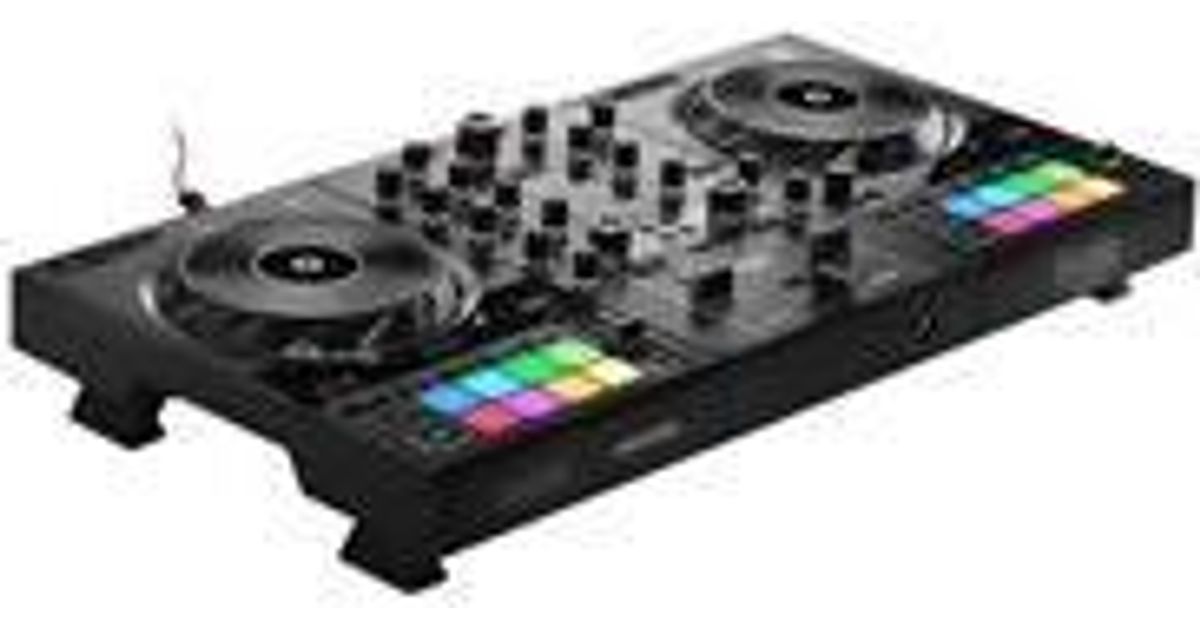
Hercules Inpulse 500 Digital Vinyl System (DVS) scratcher Black
Hercules Inpulse 500, 6.3 mm, 3.5 mm/6.35 mm, USB, Windows 10, Mac OS X 10.12 Sierra, Mac OS X 10.13 High Sierra, Mac OS X 10.14 Mojave, Mac OS X 10.15 Catalina,..., Intel Core i3
Read more...
Read more...
Product Information
| Information | |
|---|---|
| Manufacturer | Hercules |
| Product code | 211459354 |
| EAN | 00663296422149 |
| Manufacturer part number | SS-1940 |
| Category | Speakers and accessories |
| Performance | |
|---|---|
| Built-in optical drive | N |
| Equalizer | Y |
| Design | |
|---|---|
| Product colour | Black |
| Built-in display | N |
| Audio | |
|---|---|
| Sample rate | 44.1 kHz |
| Video | |
|---|---|
| Bit rate | 24-bit |
| Other features | |
|---|---|
| Apple docking | N |
| Minimum processor | Intel Core i3 |
| USB required | Y |
| Ports & interfaces | |
|---|---|
| USB port | Y |
| Microphone in | Y |
| Number of microphone inputs | 1 |
| Headphone outputs | 2 |
| Headphone connectivity | 3.5 mm/6.35 mm |
| Microphone | |
|---|---|
| Microphone connectivity | 6.3 mm |
| Features | |
|---|---|
| Power supply type | USB |
| Software | |
|---|---|
| Windows operating systems supported | Windows 10 |
| Mac compatibility | Y |
| Mac operating systems supported | Mac OS X 10.12 Sierra, Mac OS X 10.13 High Sierra, Mac OS X 10.14 Mojave, Mac OS X 10.15 Catalina, Mac OS X 10.15.3 Catalina |
| Bundled software | Serato DJ Lite, DJUCED |
| System requirements | |
|---|---|
| Minimum RAM | 4 GB |
| Weight & dimensions | |
|---|---|
| Width | 542 mm |
| Depth | 296 mm |
| Height | 70 mm |
| Weight | 3.2 kg |
| Other information | |
|---|---|
| Scratcher type | Digital Vinyl System (DVS) scratcher |
| Number of scratcher platters | 2 |
| Number of drum pads | 16 |
| Drum pads backlight | Y |
| Crossfader | Y |
Product Description
Hercules DJControl Inpulse 500 is the new DJ controller that lets you achieve your ambitions! Created for Serato DJ Lite and DJUCED to help you get started DJing, refine your skills and perform in front of audiences, DJControl Inpulse 500 has a professional design with a sturdy metal backing plate, and tons of great features: four extendable/retractable non-slip feet to elevate your mixing, a hardware mixer for the audio inputs, a dedicated Filter/FX area with awesome effects, two large jog wheels with touch detection for scratching, 16 backlit rubber RGB pads, helpful light guides for mixing with total confidence... and so much more.
You can even mix with music streaming services, featuring millions of tracks — including TIDAL and SoundCloud GO+ in Serato DJ Lite, and Beatport LINK, Beatsource LINK and Qobuz in DJUCED.
SMOOTH, ORIGINAL TRANSITIONS
The Filter/FX area lets you customize your set with the effects available in Serato DJ and DJUCED. You can even combine the action of the filter on an effect in DJUCED!
MIX A BACKUP EXTERNAL SOURCE
Input hardware mixer: the “AUX filter” knob lets you add a filter effect onto an external audio source (smartphone, media player…) — independently of the software!
SOLID RETRACTABLE FEET
DJControl Inpulse 500 is 3.1” / 8 cm tall with its feet extended. Elevate your mixing: run wires underneath, and protect the controller from spilled drinks. The base is backlit when the feet are extended (i.e. folded out).
GET SET UP QUICKLY
Powered via USB, DJControl Inpulse 500 has the master outputs you need to connect your speakers (2 x 1/4” / 6.35 mm jack + 2 x RCA), plus two headphones connectors (1/8” / 3.5 mm stereo mini-jack + 1/4” / 6.35 mm stereo jack).
SYNC YOUR TRACKS MANUALLY
It’s easy to manually mix one track into another with the BEATMATCH GUIDE light guides, which are supported by both DJUCED and Serato DJ Lite.
CONNECT YOUR MICROPHONE
Connect your microphone to the balanced input, and use the High EQ knob and Low EQ knob to adjust your voice so that you can be heard clearly wherever you’re performing.
ASSISTANT
The Intelligent Music Assistant (IMA) in DJUCED suggests well-suited upcoming tracks to be played from your music library, and in Beatport LINK and Beatsource LINK as well. Enable the Assistant to launch Autoplay in Serato DJ Lite.
ADJUST YOUR CROSSFADER
Easily adjust the amplitude of the crossfader according to your style of music. Use the curve switch to change the crossfader curve directly on the controller (mix, scratch or off)!
You can even mix with music streaming services, featuring millions of tracks — including TIDAL and SoundCloud GO+ in Serato DJ Lite, and Beatport LINK, Beatsource LINK and Qobuz in DJUCED.
SMOOTH, ORIGINAL TRANSITIONS
The Filter/FX area lets you customize your set with the effects available in Serato DJ and DJUCED. You can even combine the action of the filter on an effect in DJUCED!
MIX A BACKUP EXTERNAL SOURCE
Input hardware mixer: the “AUX filter” knob lets you add a filter effect onto an external audio source (smartphone, media player…) — independently of the software!
SOLID RETRACTABLE FEET
DJControl Inpulse 500 is 3.1” / 8 cm tall with its feet extended. Elevate your mixing: run wires underneath, and protect the controller from spilled drinks. The base is backlit when the feet are extended (i.e. folded out).
GET SET UP QUICKLY
Powered via USB, DJControl Inpulse 500 has the master outputs you need to connect your speakers (2 x 1/4” / 6.35 mm jack + 2 x RCA), plus two headphones connectors (1/8” / 3.5 mm stereo mini-jack + 1/4” / 6.35 mm stereo jack).
SYNC YOUR TRACKS MANUALLY
It’s easy to manually mix one track into another with the BEATMATCH GUIDE light guides, which are supported by both DJUCED and Serato DJ Lite.
CONNECT YOUR MICROPHONE
Connect your microphone to the balanced input, and use the High EQ knob and Low EQ knob to adjust your voice so that you can be heard clearly wherever you’re performing.
ASSISTANT
The Intelligent Music Assistant (IMA) in DJUCED suggests well-suited upcoming tracks to be played from your music library, and in Beatport LINK and Beatsource LINK as well. Enable the Assistant to launch Autoplay in Serato DJ Lite.
ADJUST YOUR CROSSFADER
Easily adjust the amplitude of the crossfader according to your style of music. Use the curve switch to change the crossfader curve directly on the controller (mix, scratch or off)!