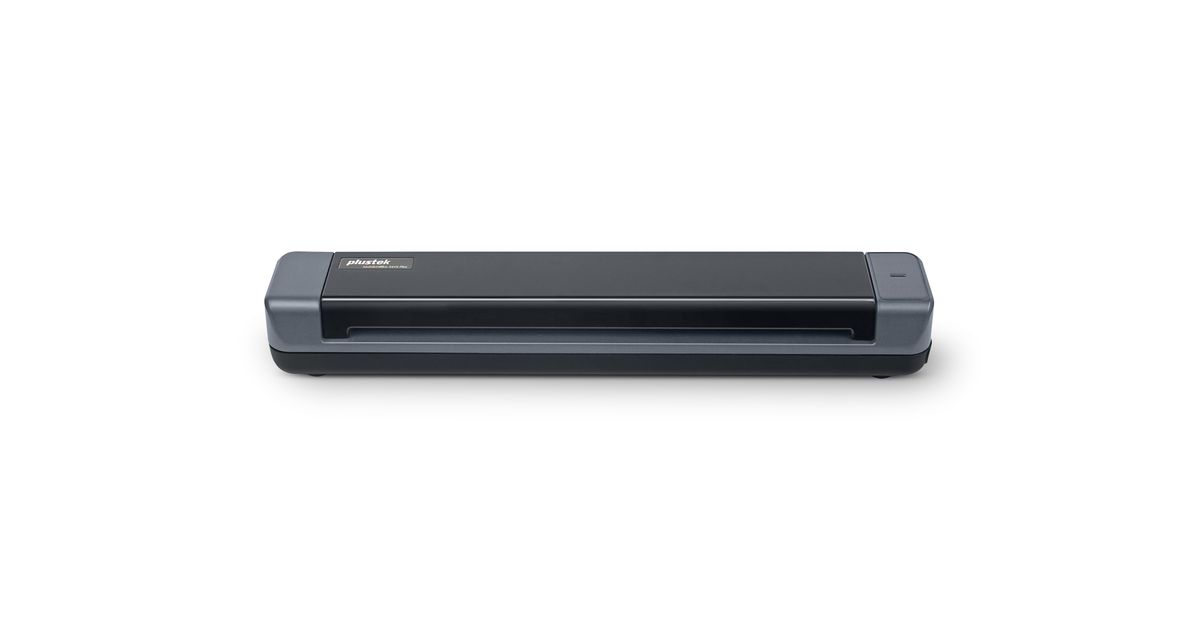
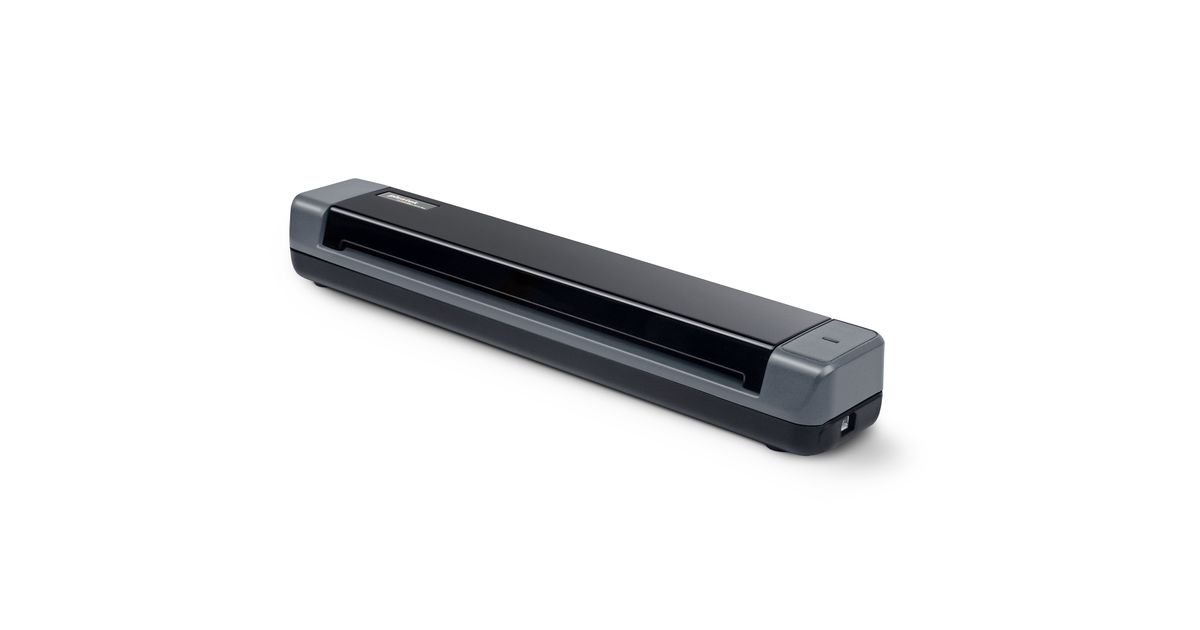
Toote tegelik värvus võib erineda piltidel kujutatavast ning pildid on
illustratiivsed.
Plustek MobileOffice S410 Plus Business card scanner 600 x 600 DPI A4 Black
Plustek MobileOffice S410 Plus, 216 x 910 mm, 600 x 600 DPI, 48 bit, 24 bit, 16 bit, 8 bit
Read more...
Read more...
Product Information
| Information | |
|---|---|
| Manufacturer | Plustek |
| Product code | 116027225 |
| EAN | 04042485609466 |
| Manufacturer part number | USPSTF0S410PLUS |
| Category | Document scanners |
| Scanning | |
|---|---|
| Maximum scan size | 216 x 910 mm |
| Optical scanning resolution | 600 x 600 DPI |
| Input colour depth | 48 bit |
| Input greyscale depth | 16 bit |
| Output greyscale depth | 8 bit |
| Output monochrome depth | 1 bit |
| Scanner type | Business card scanner |
| Performance | |
|---|---|
| Output colour depth | 24 bit |
| Daily duty cycle (max) | 800 pages |
| Light source | LED |
| Scan drivers | TWAIN |
| Design | |
|---|---|
| Built-in display | N |
| Product colour | Black |
| Image sensor | |
|---|---|
| Sensor type | CIS |
| Mouse | |
|---|---|
| Button functions | Scan |
| Paper handling | |
|---|---|
| Maximum ISO A-series paper size | A4 |
| Scanning media types supported | Plastic Card |
| Card thickness (max) | 1 mm |
| Paper tray media weight | 50 - 120 g/m² |
| Maximum scan area (ADF) | 216 x 910 mm |
| Minimum scan area (ADF) | 12.7 x 12.7 mm |
| Maximum media width | 216 |
| Maximum media length | 91 cm |
| Ports & interfaces | |
|---|---|
| USB port | Y |
| Features | |
|---|---|
| USB version | 2.0 |
| Power supply type | USB |
| Input voltage | 5 V |
| Linux operating systems supported | Y |
| Power | |
|---|---|
| Current | 0.5 A |
| Protocols | |
|---|---|
| Supported network protocols | TWAIN Compliant |
| Packaging data | |
|---|---|
| Quantity per pack | 1 pc(s) |
| Other features | |
|---|---|
| Minimum processor | Intel Core i5 2.8 GHz |
| Software | |
|---|---|
| Windows operating systems supported | Windows 10, Windows 11, Windows 7, Windows 8 |
| Weight & dimensions | |
|---|---|
| Width | 295 mm |
| Depth | 50 mm |
| Height | 40.5 mm |
| Weight | 410 g |
| Packaging content | Plustek DocAction Plustek DocTWAIN ABBYY FineReader 12 Sprint |
Product Description
Stay Organized
and Digitize on the Go.
Simple, Compact, and Lightweight.
Versatile Paper Handling
Easily scan documents up to A4 sized document, as well as business cards, plastic ID cards, invoices and receipts.
Convenient and Portable
When COVID-19 forced companies all over the world to send their employees home to work virtually, remote work had a big moment.You can fit MobileOffice S410 Plus from home offices, remote offices and anywhere in between.
USB Powered and Auto Scan
Plug it into you PC or laptop and you are ready to scan. There is no need to push any buttons or click any screens.
DocAction and Advanced Image Processing
Simplifies digitizing process with DocAction, allows each and every document scan is crisp and clear, just the way you like it, without spending additional time to reorganize.
Easily Organize and Access Documents
Once you have saved a file in cloud services, you can retrieve that file using a computer or any other device with internet connectivity. Also helps you to share your file with other users or view document on smartphone or tablet PC.
TWAIN Support
Features industry standard TWAIN drivers that are supported by thousands of document management and imaging applications.
and Digitize on the Go.
Simple, Compact, and Lightweight.
Versatile Paper Handling
Easily scan documents up to A4 sized document, as well as business cards, plastic ID cards, invoices and receipts.
Convenient and Portable
When COVID-19 forced companies all over the world to send their employees home to work virtually, remote work had a big moment.You can fit MobileOffice S410 Plus from home offices, remote offices and anywhere in between.
USB Powered and Auto Scan
Plug it into you PC or laptop and you are ready to scan. There is no need to push any buttons or click any screens.
DocAction and Advanced Image Processing
Simplifies digitizing process with DocAction, allows each and every document scan is crisp and clear, just the way you like it, without spending additional time to reorganize.
Easily Organize and Access Documents
Once you have saved a file in cloud services, you can retrieve that file using a computer or any other device with internet connectivity. Also helps you to share your file with other users or view document on smartphone or tablet PC.
TWAIN Support
Features industry standard TWAIN drivers that are supported by thousands of document management and imaging applications.