Toote tegelik värvus võib erineda piltidel kujutatavast ning pildid on
illustratiivsed.
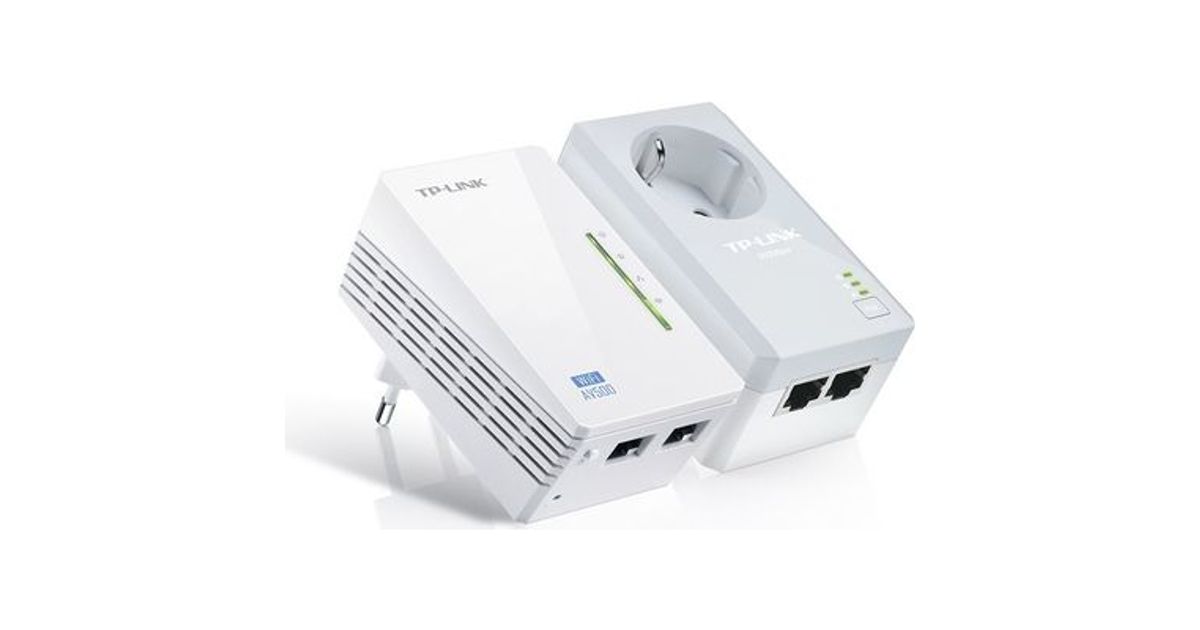
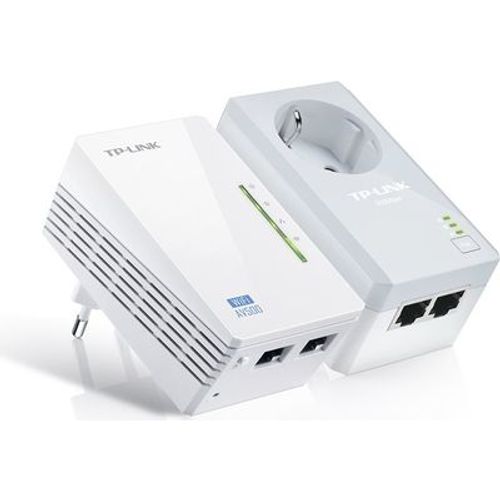
TP-LINK AV500 Powerline Wi-Fi Kit
TP-LINK AV500 Powerline Wi-Fi Kit, 600 Mbit/s, IEEE 1901,IEEE 802.11b,IEEE 802.11g,IEEE 802.11n,IEEE 802.3,IEEE 802.3u, Fast Ethernet, 10,100 Mbit/s, Wi-Fi 4 (802.11n), 802.11b,802.11g,Wi-Fi 4 (802.11n)
Read more...
Read more...
Product Information
| Information | |
|---|---|
| Manufacturer | TP-Link |
| Product code | 16489103 |
| EAN | 06935364032739 |
| Manufacturer part number | WPA4226 KIT |
| Category | Powerline |
| Features | |
|---|---|
| Maximum data transfer rate | 600 Mbit/s |
| Modulation | OFDM |
| Plug and Play | Y |
| Antenna type | Internal |
| Certification | CE, FCC, RoHS |
| Linux operating systems supported | Y |
| Network | |
|---|---|
| Ethernet LAN | Y |
| Wi-Fi | Y |
| Ethernet LAN interface type | Fast Ethernet |
| Ethernet LAN data rates | 10,100 Mbit/s |
| Top Wi-Fi standard | Wi-Fi 4 (802.11n) |
| Wi-Fi standards | 802.11b,802.11g,Wi-Fi 4 (802.11n) |
| Security algorithms | 128-bit AES,WEP,WPA,WPA-PSK,WPA2,WPA2-PSK |
| Maximum operating distance | 300 m |
| Other features | |
|---|---|
| Networking standards | IEEE 1901,IEEE 802.11b,IEEE 802.11g,IEEE 802.11n,IEEE 802.3,IEEE 802.3u |
| WLAN data transfer rates supported | 600 Mbit/s |
| Performance | |
|---|---|
| Built-in power socket | Y |
| PowerLine standard | HomePlug AV |
| Design | |
|---|---|
| Product colour | White |
| LED indicators | LAN, PLC, Power, WLAN |
| Software | |
|---|---|
| Mac operating systems supported | Y |
| Operational conditions | |
|---|---|
| Operating temperature (T-T) | 0 - 40 °C |
| Storage temperature (T-T) | -40 - 70 °C |
| Operating relative humidity (H-H) | 10 - 90% |
| Storage relative humidity (H-H) | 5 - 90% |
| Sustainability | |
|---|---|
| Sustainability certificates | RoHS |
| Packaging data | |
|---|---|
| Quantity per pack | 2 pc(s) |
| Quick installation guide | Y |
| Package type | Box |
| Packaging content | |
|---|---|
| Cables included | LAN (RJ-45) |
Product Description
What This Product Does
TP-LINK’s TL-WPA4226KIT AV500 Powerline WiFi Kit extends your Internet connection to every room of the house through your home’s existing electrical circuitry. The TL-WPA4220 features a Wi-Fi Clone Button which can automatically extend your router’s wireless signal, making it easy to realize seamless roaming within your home network. What’s more, TL-PA4020P has an integrated power socket, which allows an additional device or power bar to be connected to the adapter as though it were a normal wall socket.
One Touch Super Range Extension
With a Wi-Fi Clone Button enabling Super Range Extension, the TL-WPA4220 can automatically copy the wireless network name (SSID) and Password of your router at the push of a button. After pressing the button, you can place the powerline extender anywhere you want wired or wireless access and enjoy seamless networking across your entire home or office.
Up to 500Mbps - Ideal for HD Video Streaming
With advanced HomePlug AV technology, TL-WPA4226KIT provides you with stable, high-speed data transfer rates of up to 500Mbps on a line length of up to 300 meters. It is a great choice for a whole home solution to connect all network compatible devices - from computers, game consoles to set-top boxes for IPTV to printers and NAS hard drives.
Extend Wi-Fi Coverage to Every Room
With wireless speeds of up to 300Mbps, you can effortlessly extend your Wi-Fi network via the existing powerline and broadcast a wireless signal to share with all your Wi-Fi enabled devices in another area of your home or office.
Extra Power Socket for Additional Devices
With TL-PA4020P’s integrated power socket, the new TL-WPA4226KIT provides real convenience for your home network. The integrated power socket allows an additional device or power bar to be connected to the adapter as though it were a normal wall socket. This ensures that even with the TL-PA4020P plugged in, no power outlet is going to waste.
Plug and Play
You can set up a hassle-free powerline network within minutes with TP-LINK’s powerline adapters, just plug in and play. Also, the adapters’ “Pair” buttons can be utilized for securing or managing multiple powerline adapters in your home powerline network.
1. Plug one Internet connected adapter into a nearby power outlet.
2. Connect additional adapters to PCs/laptops/Internet TVs or other networked devices via an Ethernet cable or Wi-Fi, and you're done!
*Recommended: Press the pair buttons for network security and data encryption.
TP-LINK’s TL-WPA4226KIT AV500 Powerline WiFi Kit extends your Internet connection to every room of the house through your home’s existing electrical circuitry. The TL-WPA4220 features a Wi-Fi Clone Button which can automatically extend your router’s wireless signal, making it easy to realize seamless roaming within your home network. What’s more, TL-PA4020P has an integrated power socket, which allows an additional device or power bar to be connected to the adapter as though it were a normal wall socket.
One Touch Super Range Extension
With a Wi-Fi Clone Button enabling Super Range Extension, the TL-WPA4220 can automatically copy the wireless network name (SSID) and Password of your router at the push of a button. After pressing the button, you can place the powerline extender anywhere you want wired or wireless access and enjoy seamless networking across your entire home or office.
Up to 500Mbps - Ideal for HD Video Streaming
With advanced HomePlug AV technology, TL-WPA4226KIT provides you with stable, high-speed data transfer rates of up to 500Mbps on a line length of up to 300 meters. It is a great choice for a whole home solution to connect all network compatible devices - from computers, game consoles to set-top boxes for IPTV to printers and NAS hard drives.
Extend Wi-Fi Coverage to Every Room
With wireless speeds of up to 300Mbps, you can effortlessly extend your Wi-Fi network via the existing powerline and broadcast a wireless signal to share with all your Wi-Fi enabled devices in another area of your home or office.
Extra Power Socket for Additional Devices
With TL-PA4020P’s integrated power socket, the new TL-WPA4226KIT provides real convenience for your home network. The integrated power socket allows an additional device or power bar to be connected to the adapter as though it were a normal wall socket. This ensures that even with the TL-PA4020P plugged in, no power outlet is going to waste.
Plug and Play
You can set up a hassle-free powerline network within minutes with TP-LINK’s powerline adapters, just plug in and play. Also, the adapters’ “Pair” buttons can be utilized for securing or managing multiple powerline adapters in your home powerline network.
1. Plug one Internet connected adapter into a nearby power outlet.
2. Connect additional adapters to PCs/laptops/Internet TVs or other networked devices via an Ethernet cable or Wi-Fi, and you're done!
*Recommended: Press the pair buttons for network security and data encryption.