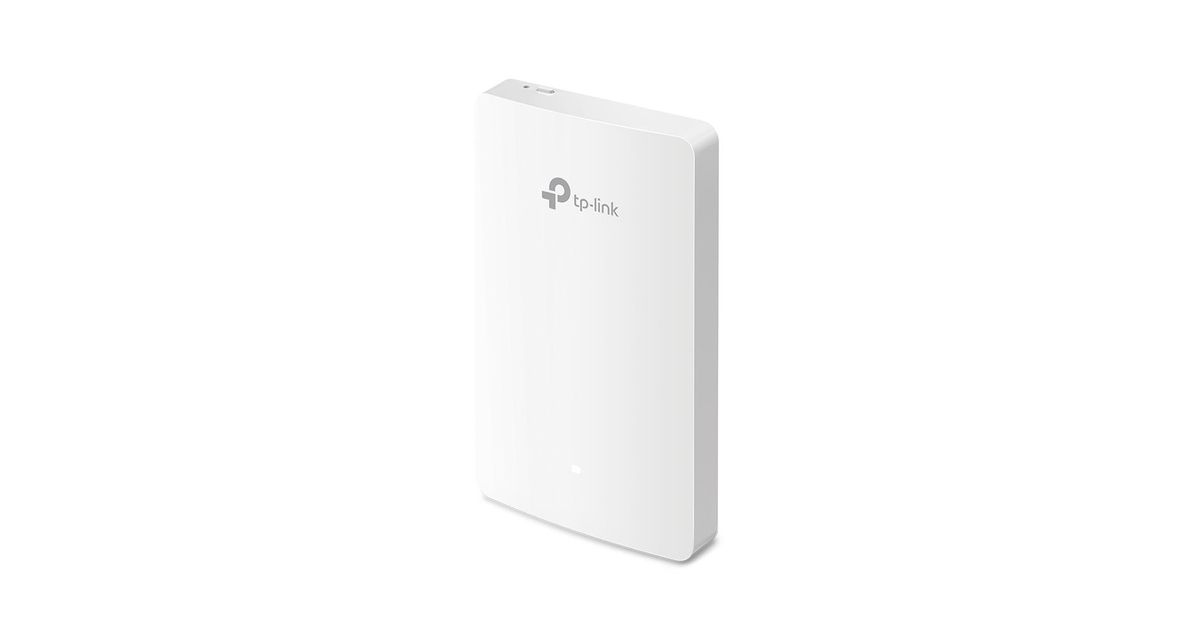
Toote tegelik värvus võib erineda piltidel kujutatavast ning pildid on
illustratiivsed.
TP-LINK Omada AC1200 Wireless MU-MIMO Gigabit Wall Plate Access Point
Manufacturer:
TP-Link
Product Code: 174295412
EAN: 06935364006341
MPN: EAP235-WALL Omada MU-MIMO DualBand AC
TP-LINK Omada AC1200 Wireless MU-MIMO Gigabit Wall Plate Access Point, 1200 Mbit/s, 300 Mbit/s, 867 Mbit/s, 10,100,1000 Mbit/s, 2.4 - 5 GHz, IEEE 802.11a,IEEE 802.11ac,IEEE 802.11b,IEEE 802.11g,IEEE 802.11n,IEEE 802.1x,IEEE 802.3af,IEEE...
Read more...
Read more...
Product Information
| Information | |
|---|---|
| Manufacturer | TP-Link |
| Product code | 174295412 |
| EAN | 06935364006341 |
| Manufacturer part number | EAP235-WALL Omada MU-MIMO DualBand AC |
| Category | Access points and routers |
| Features | |
|---|---|
| 2.4 GHz | Y |
| 5 GHz | Y |
| Maximum data transfer rate | 1200 Mbit/s |
| Maximum data transfer rate (2.4 GHz) | 300 Mbit/s |
| Maximum data transfer rate (5 GHz) | 867 Mbit/s |
| Full duplex | Y |
| MIMO type | Multi User MIMO |
| Wi-Fi Multimedia (WMM)/(WME) | Y |
| Flow control support | Y |
| Wireless isolation | Y |
| Placement | Wall |
| Antenna type | Internal |
| Antenna gain level (max) | 4 dBi |
| Network | |
|---|---|
| Ethernet LAN data rates | 10,100,1000 Mbit/s |
| Cabling technology | 10/100/1000Base-T(X) |
| Automatic channel selection | Y |
| Auto MDI/MDI-X | Y |
| Rate limiting | Y |
| Security algorithms | 64-bit WEP,128-bit WEP,152-bit WEP,802.1x RADIUS,HTTPS,SNMP,SNMPv3,SSH,WPA,WPA-Enterprise,WPA-PSK,WPA2,WPA2-Enterprise,WPA2-PSK |
| DHCP client | Y |
| Mouse | |
|---|---|
| Frequency band | 2.4 - 5 GHz |
| Other features | |
|---|---|
| Networking standards | IEEE 802.11a,IEEE 802.11ac,IEEE 802.11b,IEEE 802.11g,IEEE 802.11n,IEEE 802.1x,IEEE 802.3af,IEEE 802.3at |
| Antennas quantity | 2 |
| Quick start guide | Y |
| Management features | |
|---|---|
| MIMO | Y |
| Quality of Service (QoS) support | Y |
| Web-based management | Y |
| Security | |
|---|---|
| IP address filtering | Y |
| IGMP snooping | Y |
| Remote Authentication Dial-In User Service (RADIUS) | Y |
| Access Control List (ACL) | Y |
| Protocols | |
|---|---|
| Universal Plug and Play (UPnP) | Y |
| Performance | |
|---|---|
| DHCP server | Y |
| Syslog | Y |
| Ports & interfaces | |
|---|---|
| Ethernet LAN (RJ-45) ports | 4 |
| WAN connection | Ethernet (RJ-45) |
| Power over Ethernet (PoE) | |
|---|---|
| Power over Ethernet (PoE) | Y |
| Power | |
|---|---|
| Power consumption (typical) | 24.4 W |
| Design | |
|---|---|
| Product colour | White |
| Reset button | Y |
| LED indicators | LAN, Power, Status, WAN, WLAN |
| Operational conditions | |
|---|---|
| Operating relative humidity (H-H) | 10 - 90% |
| Operating temperature (T-T) | 0 - 40 °C |
| Storage temperature (T-T) | -40 - 70 °C |
| Storage relative humidity (H-H) | 5 - 90% |
| Weight & dimensions | |
|---|---|
| Width | 143 mm |
| Depth | 20 mm |
| Height | 86 mm |
| Packaging data | |
|---|---|
| Number of products included | 1 pc(s) |
| Package type | Box |
| Packaging content | |
|---|---|
| Mounting kit | Y |
Product Description
Dedicated Complete, Private Wi-Fi Network in Each Room
An EAP in each room allows guests to enjoy their own private Wi-Fi network that’s fast, delivering a strong signal, and providing corner to corner coverage.
MU-MIMO + Dual-Band: Connect Faster and More
802.11ac wave 2 MU-MIMO technology enables multiple users to access the Internet simultaneously, which largely boosts up your network speed of up to 1,200 Mbps. Capable of transmitting in both 2.4 GHz and 5 GHz wireless band, it provides greater compatibility to connect varieties of devices.
Absolute Thinnest, Inconspicuous Design
The thinnest wall plate AP available—only 15 mm—featuring a sleek, minimalist appearance. Designed to blend in with the décor of hotel rooms, hospitals, offices and school dormitories, to deliver powerful Wi-Fi without clashing with the room.
Effortless Deployment with PoE Powered
With 802.3af/802.3at Power over Ethernet supported there’s no need to install additional wiring in the building. Simply plug in existing Ethernet cables and you’re ready to go.
Quick, Simplified Installation
EAP235-Wall is easy to install, so extra cost, time, or professional knowledge are completely unnecessary.
Full Gigabit Ports to Bridge Network
Equipped with four Gigabit data ports (1 uplink + 3 downlink), one downlink port offering PoE pass-through, to connect multiple devices to your gigabit network. Wired devices like VoIP phones can be powered with no need for extra electrical cables.
Cloud Centralized Management Anytime, Anywhere
Omada Cloud Controller OC200 and Omada Software Controller make it easy to manage and monitor the whole Omada network in real-time, while cloud service enables remote and secure access no matter where you find yourself.
Easy Management with the Omada App
Follow configuration instructions on the Omada app to get set up in minutes. Omada lets you configure settings, monitor the network status and manage clients, all from the convenience of a smart phone or tablet.
An EAP in each room allows guests to enjoy their own private Wi-Fi network that’s fast, delivering a strong signal, and providing corner to corner coverage.
MU-MIMO + Dual-Band: Connect Faster and More
802.11ac wave 2 MU-MIMO technology enables multiple users to access the Internet simultaneously, which largely boosts up your network speed of up to 1,200 Mbps. Capable of transmitting in both 2.4 GHz and 5 GHz wireless band, it provides greater compatibility to connect varieties of devices.
Absolute Thinnest, Inconspicuous Design
The thinnest wall plate AP available—only 15 mm—featuring a sleek, minimalist appearance. Designed to blend in with the décor of hotel rooms, hospitals, offices and school dormitories, to deliver powerful Wi-Fi without clashing with the room.
Effortless Deployment with PoE Powered
With 802.3af/802.3at Power over Ethernet supported there’s no need to install additional wiring in the building. Simply plug in existing Ethernet cables and you’re ready to go.
Quick, Simplified Installation
EAP235-Wall is easy to install, so extra cost, time, or professional knowledge are completely unnecessary.
Full Gigabit Ports to Bridge Network
Equipped with four Gigabit data ports (1 uplink + 3 downlink), one downlink port offering PoE pass-through, to connect multiple devices to your gigabit network. Wired devices like VoIP phones can be powered with no need for extra electrical cables.
Cloud Centralized Management Anytime, Anywhere
Omada Cloud Controller OC200 and Omada Software Controller make it easy to manage and monitor the whole Omada network in real-time, while cloud service enables remote and secure access no matter where you find yourself.
Easy Management with the Omada App
Follow configuration instructions on the Omada app to get set up in minutes. Omada lets you configure settings, monitor the network status and manage clients, all from the convenience of a smart phone or tablet.