For illustrative purpose only
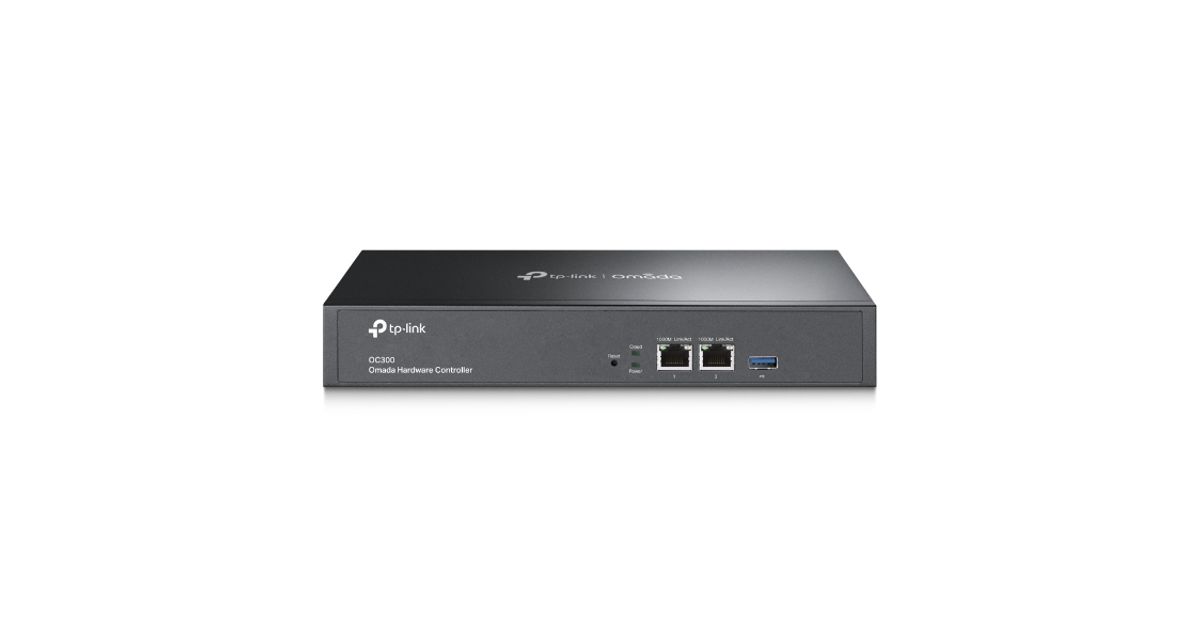
TP-LINK Omada Hardware Controller
TP-LINK Omada Hardware Controller, 10,100,1000 Mbit/s, Wired, 100 - 240 V, 50/60 Hz, 0.6 A, Black
Read more...
Read more...
Product Information
| Information | |
|---|---|
| Manufacturer | TP-Link |
| Product code | 184117011 |
| EAN | 00845973089863 |
| Manufacturer part number | TP-LINK OC300 |
| Category | Networking accessories |
| Performance | |
|---|---|
| Number of LAN Access Points (max) | 2 |
| Network | |
|---|---|
| Ethernet LAN | Y |
| Ethernet LAN data rates | 10,100,1000 Mbit/s |
| Keyboard | |
|---|---|
| Connectivity technology | Wired |
| Ports & interfaces | |
|---|---|
| Ethernet LAN (RJ-45) ports | 2 |
| USB 3.2 Gen 1 (3.1 Gen 1) Type-A ports quantity | 1 |
| Power | |
|---|---|
| AC input voltage | 100 - 240 V |
| AC input frequency | 50/60 Hz |
| Input current | 0.6 A |
| Design | |
|---|---|
| Rack mounting | Y |
| Product colour | Black |
| Features | |
|---|---|
| Certification | CE, FCC, RoHS |
| Operational conditions | |
|---|---|
| Operating temperature (T-T) | 0 - 50 °C |
| Operating relative humidity (H-H) | 10 - 90% |
| Storage temperature (T-T) | -40 - 70 °C |
| Storage relative humidity (H-H) | 5 - 90% |
| Weight & dimensions | |
|---|---|
| Width | 294 mm |
| Depth | 180 mm |
| Height | 44 mm |
Product Description
Centralized Management for Access Points, Switches, and Gateways
OC300, the hardware controller for the Omada Software Defined Networking (SDN) platform, provides 100% centralized management of access points, switches, and gateways—all controlled from a single interface.
Hybrid Cloud for Maximum Convenience
Featuring hybrid cloud technology, the Omada Hardware Controller OC300 allows you to remotely control the whole network wherever you are in the world with cloud access. Locally manage devices with the ultimate security and stability.
Industry-Leading Hardware Design
Equipped with an advanced design and the latest chipset, OC300 has enough processing power to support the massive management of your business network. Rackmount/desktop design benefits easier and flexible installation.
Easy and Intelligent Network Monitoring
The easy-to-use dashboard makes it easy to see your real-time network status; check network usage and traffic distribution; receive network condition logs, abnormal event warnings, and notifications; or even track key data for better business results. Network topology helps IT admins quickly see and troubleshoot connections at a glance.
Greater Convenience with the Omada App
Remotely access and configure your whole network with a tap of your phone from anywhere in the world.
OC300, the hardware controller for the Omada Software Defined Networking (SDN) platform, provides 100% centralized management of access points, switches, and gateways—all controlled from a single interface.
Hybrid Cloud for Maximum Convenience
Featuring hybrid cloud technology, the Omada Hardware Controller OC300 allows you to remotely control the whole network wherever you are in the world with cloud access. Locally manage devices with the ultimate security and stability.
Industry-Leading Hardware Design
Equipped with an advanced design and the latest chipset, OC300 has enough processing power to support the massive management of your business network. Rackmount/desktop design benefits easier and flexible installation.
Easy and Intelligent Network Monitoring
The easy-to-use dashboard makes it easy to see your real-time network status; check network usage and traffic distribution; receive network condition logs, abnormal event warnings, and notifications; or even track key data for better business results. Network topology helps IT admins quickly see and troubleshoot connections at a glance.
Greater Convenience with the Omada App
Remotely access and configure your whole network with a tap of your phone from anywhere in the world.